

User guide2 min
Workspace settings
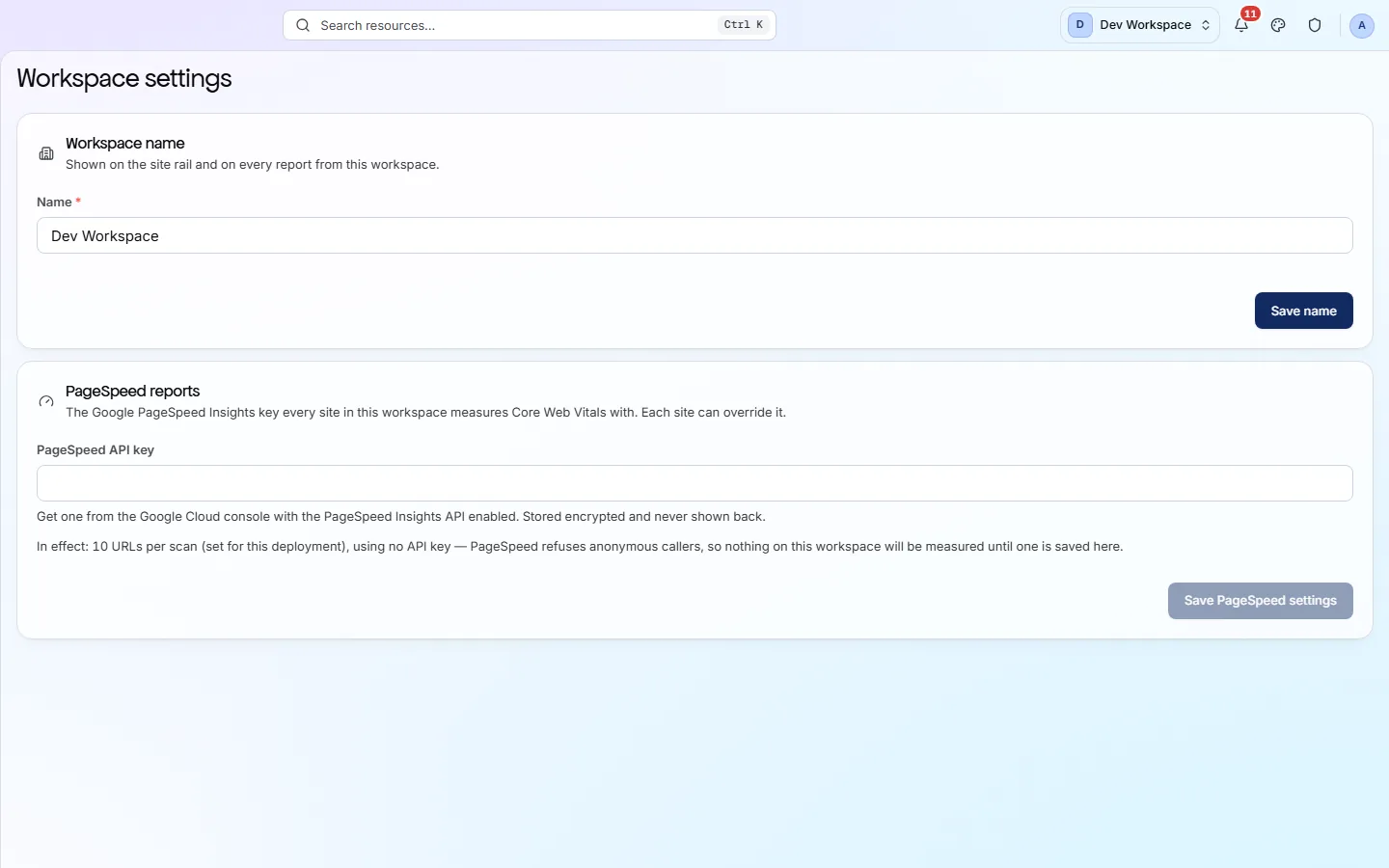
Two cards. One renames the workspace. The other holds the Google PageSpeed key, without which no site here can measure Core Web Vitals.
How to get there#
Settings → General, in the workspace sidebar.
- 1
Close any open site
Click the mark, top left.
- 2
Under Settings, choose General
Beside Members and Plan & billing.
app.pixyscan.com/w/…/settings
What is on it#
Two cards, two Save buttons.
| Field | Default | What it does |
|---|---|---|
| Name | Your workspace | Shown in the sidebar and on every report this workspace produces. The change applies immediately. |
| PageSpeed API key | — | A Google Cloud key with the PageSpeed Insights API enabled. It is stored encrypted and never shown again, so the field stays blank after saving. |
Without a key, Core Web Vitals stay empty
Google does not accept anonymous requests, so with no key saved the Performance screen's vitals read “Not measured” on every site here. The line under the field says how many URLs per scan are measured once a key is in place, and a single site can use its own key instead.
Deleting a workspace is not on this screen - see Create a workspace. To delete a single site, use that site's Danger zone.
If the product does not match this page, the page is wrong and we would like to know. Tell us