

User guide4 min
A page report
Everything the scan found about one URL, in ten tabs. There is no sidebar entry for it: you get here by clicking a row in a table or a finding.
How to get there#
Three routes in, and no sidebar entry.
- 1
A row in Pages
The usual route. Both the table and the tree open the report.
- 2
A row in a finding's Affected pages
This opens the report for a page you already know has a problem.
- 3
A row in any Explore table
Content, Schema, Social, Links, Images and Trust all link to it.
app.pixyscan.com/w/…/s/…/pages/…
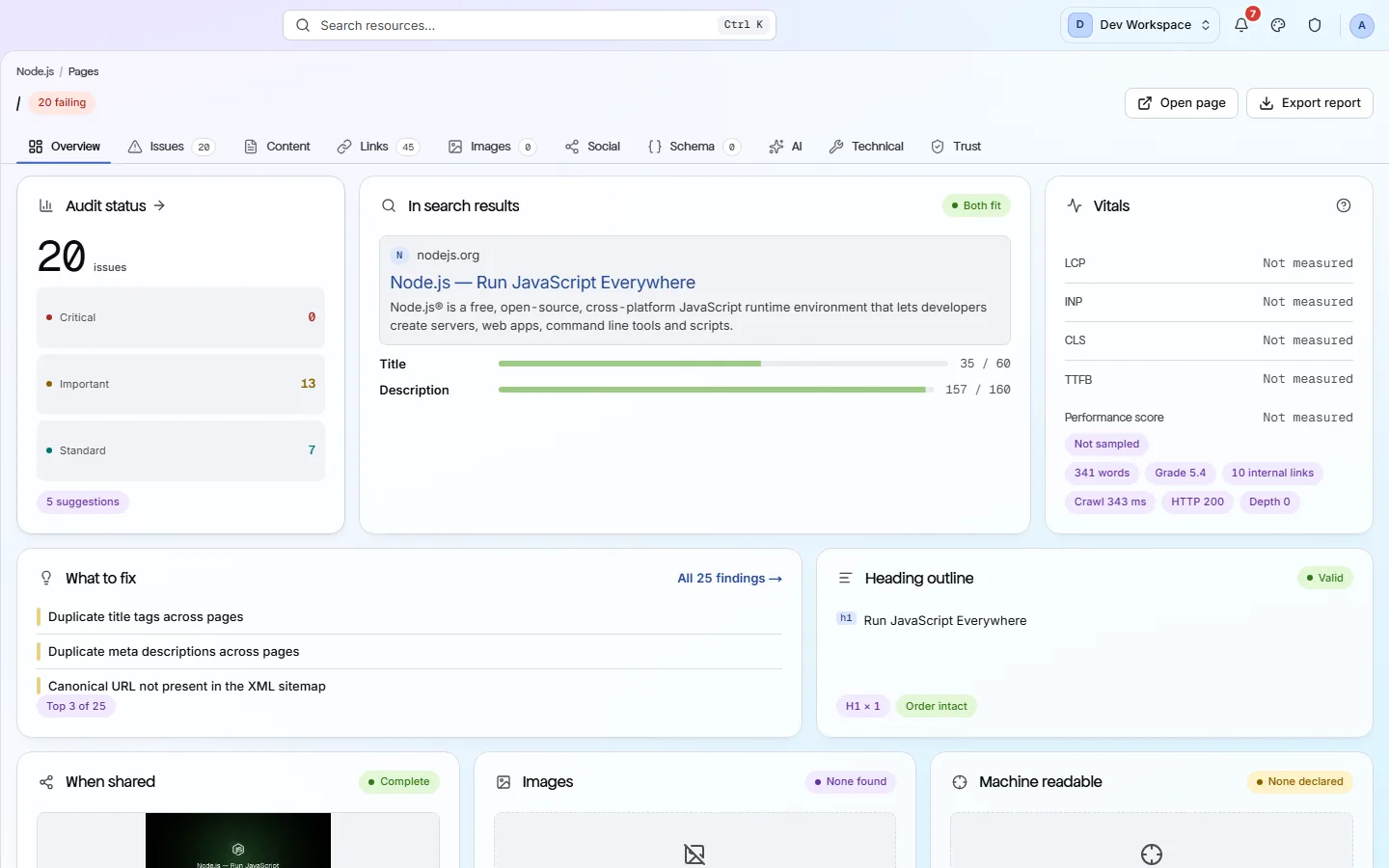
What the Overview shows#
Six cards.
| Field | Shows | What it does |
|---|---|---|
| Audit status | Counts by severity | How many findings this URL has, split into critical, important and standard, with suggestions below. |
| In search results | A preview | How the title and description would look in a search result, with a length meter for each, such as 35 / 60 and 157 / 160. |
| Vitals | LCP, INP, CLS, TTFB | Real-world performance data where it exists, plus word count, reading level, internal links, crawl time, status and depth. |
| What to fix | Top 3 | The three worst findings on this URL, with a link to the rest. |
| Heading outline | h1 … h6 | The page's heading structure, and whether the order is correct. |
| When shared · Images · Machine readable | Three cards | How the page looks when shared, the images on it, and whether it declares any structured data. |
The ten tabs#
The same subjects as the sidebar, narrowed to one URL.
| Field | Narrowed from | What it does |
|---|---|---|
| Overview | - | The summary above. |
| Issues | Issues | Every finding recorded against this URL, each with the same four tabs. |
| Content | Content | Title, description, headings, word count and readability. |
| Links | Links | What this page links to and what links to it. |
| Images | Images | Every image on it, with its alt text, format and size. |
| Social | Social | Its Open Graph and Twitter tags, with a preview of the card. |
| Schema | Schema | The structured data this page declares, parsed out. |
| AI | AI readiness | How well an AI answer engine can read this page. |
| Technical | Crawlability | Status code, redirects, canonical URL, robots rules and response headers. |
| Trust | Trust | Its certificate, security headers and any insecure files. |
app.pixyscan.com/w/…/s/…/pages/…/issues
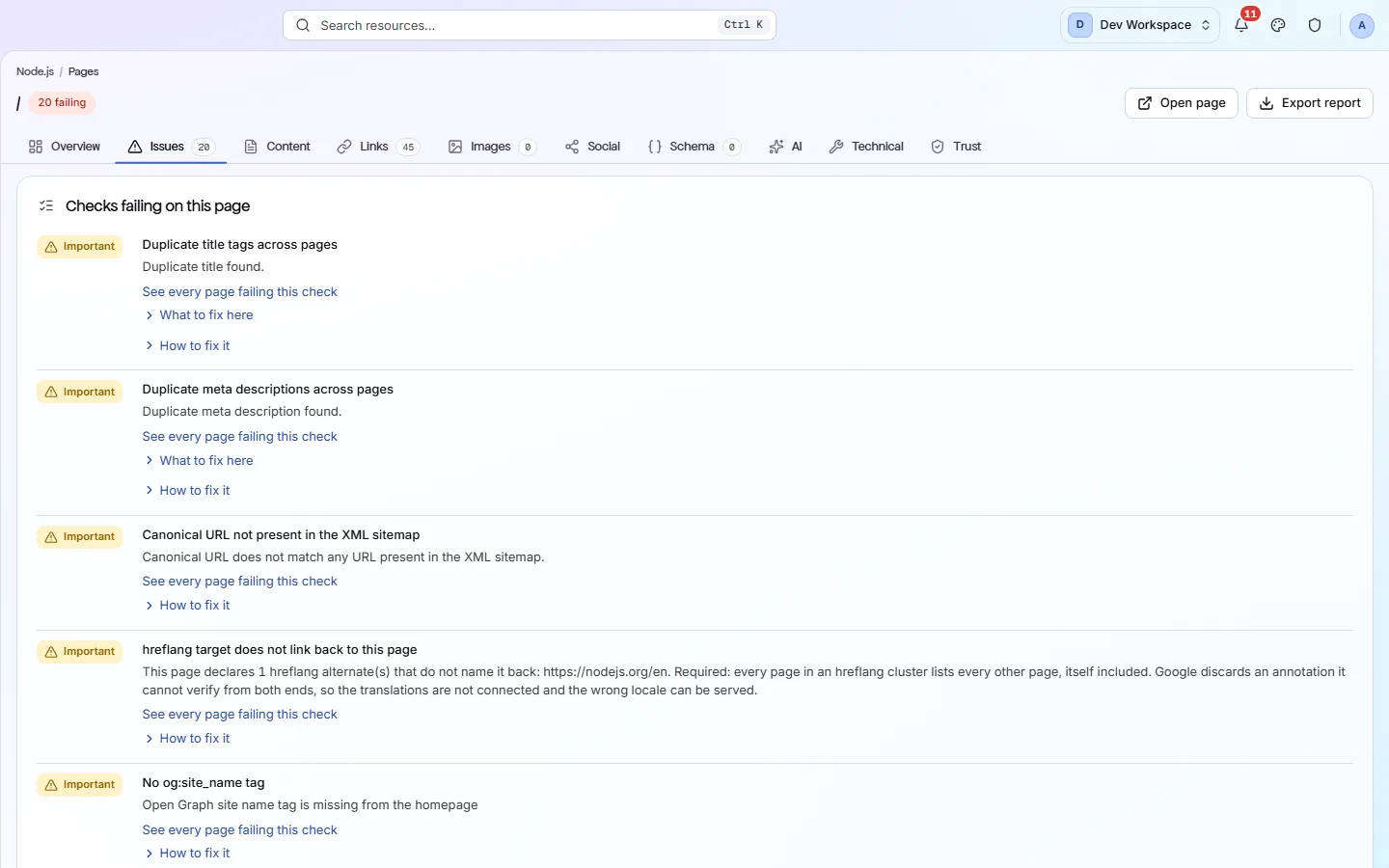
Open page opens the live URL
The action beside Export report opens the real page in a new tab, so you can compare what the crawl recorded with what your site serves now. If they differ, the site has changed since the scan - scan again.
If the product does not match this page, the page is wrong and we would like to know. Tell us