

User guide4 min
Crawlability
Everything that decides what a crawler may fetch: robots.txt, your sitemaps, your redirects and the indexing rules on each page. They share a screen because they often contradict each other.
How to get there#
Explore → Crawlability.
- 1
Open Crawlability in the sidebar
After Structure.
- 2
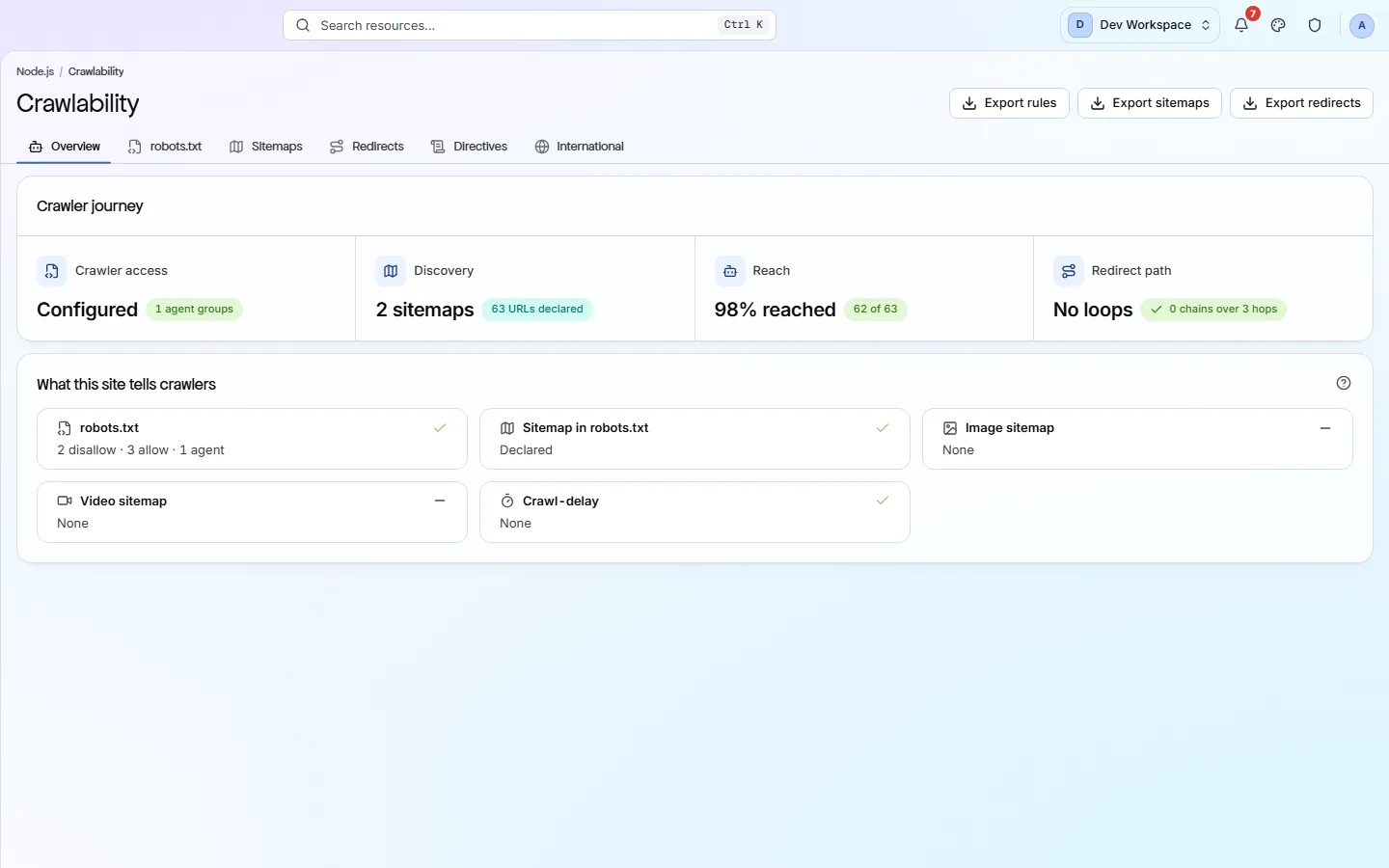
Start on Overview - the crawler journey
Access, then discovery, then reach, then the redirect path - in that order.
app.pixyscan.com/w/…/s/…/crawlability
The six tabs#
A summary, then one tab per thing a crawler reads.
| Field | Answers | What it does |
|---|---|---|
| Overview | Can a crawler get round? | The journey, plus the crawl settings this scan actually used. |
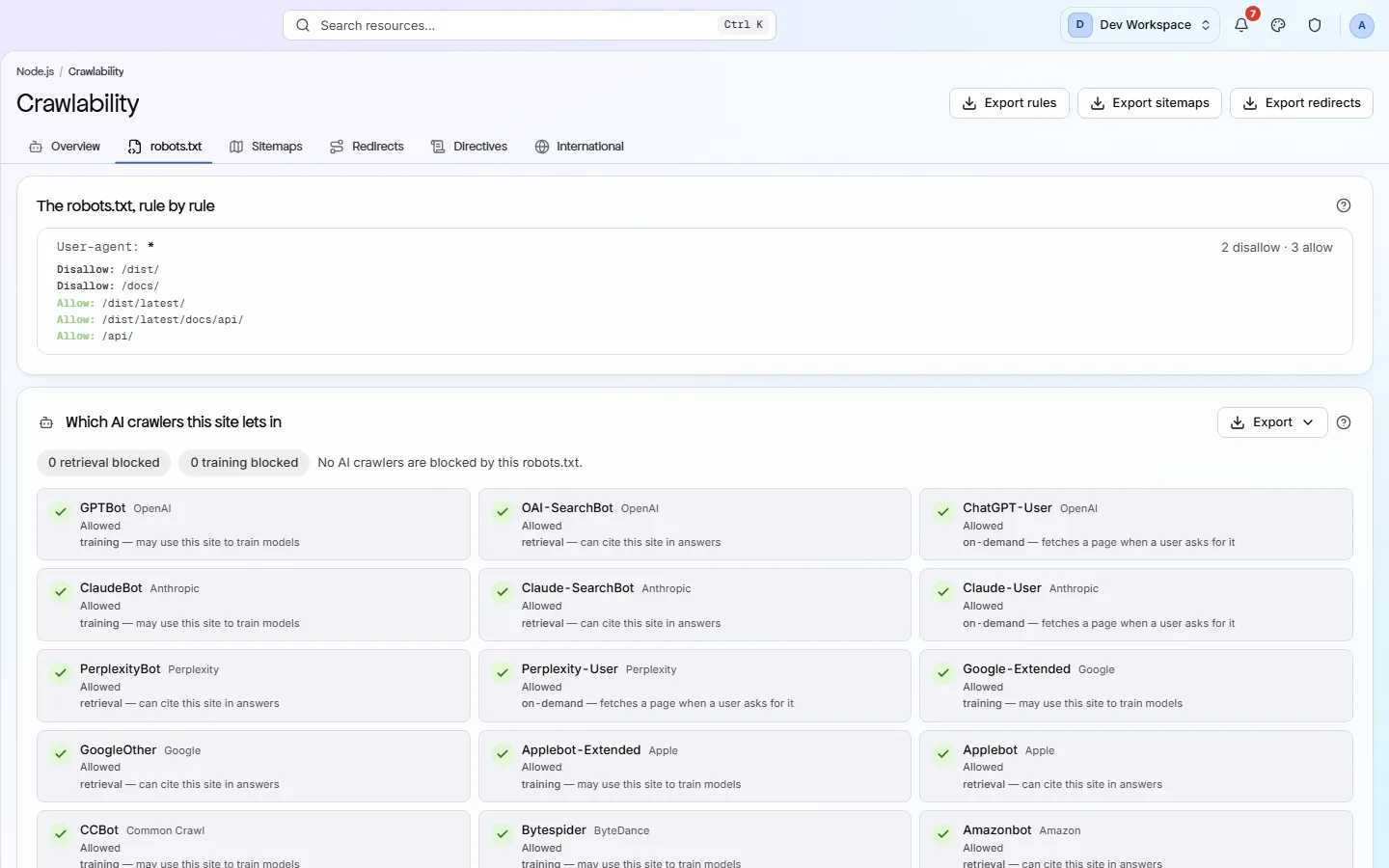
| robots.txt | Who is allowed? | Your robots.txt rules as served, then a grid of named AI crawlers marked Allowed or Blocked. |
| Sitemaps | What did you declare? | Every sitemap file the crawler followed, with the URLs it lists, the URLs actually reached, and how many carry a lastmod date. |
| Redirects | Where does it bounce? | Redirect chains and loops, with the status code at each step. A 307 where a 301 belongs shows up here. |
| Directives | What does each page say? | The noindex, nofollow, canonical and robots meta values on each page. |
| International | Which language, for whom? | Your hreflang declarations, and whether each one points back. |
robots.txt
What to look for#
Places where robots.txt and your sitemap disagree.
A URL listed in your sitemap but disallowed in robots.txt tells a search engine two opposite things. So does a sitemap full of URLs that redirect. The Sitemaps tab shows URLs listed against URLs reached so that gap is a number you can see.
Decide about AI crawlers deliberately
If the product does not match this page, the page is wrong and we would like to know. Tell us