

User guide3 min
Reports
Everything a scan can be turned into a file. Five tabs grouped by the kind of document, a What changed panel beside them, and a format picker on every row.
How to get there#
Monitor → Reports.
- 1
Open Reports in the sidebar
First under Monitor.
- 2
It covers the scan you are currently viewing
If you open a past scan from Scan history, every document here comes from that scan instead.
app.pixyscan.com/w/…/s/…/reports
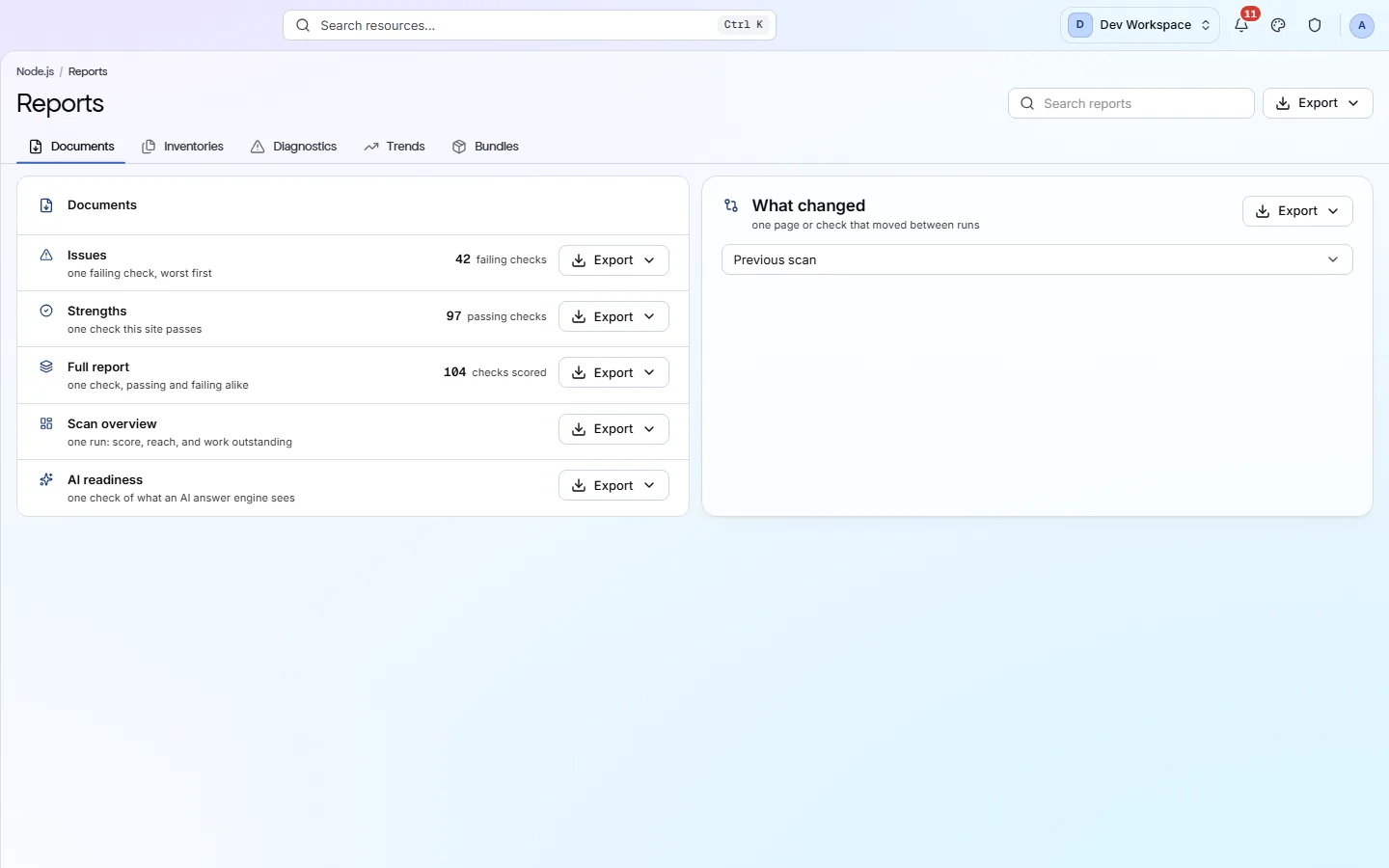
The five tabs#
Grouped by what the document is for.
| Field | Contains | What it does |
|---|---|---|
| Documents | Written reports | Issues (failing checks, worst first), Strengths (what the site passes), Full report (both), Scan overview (score and outstanding work) and AI readiness. |
| Inventories | Lists | The crawl's raw records - pages, links, images and resources - as data rather than prose. |
| Diagnostics | Problem sets | Smaller datasets about one problem: broken links, redirect chains or missing tags. |
| Trends | Across runs | The score and the counts over time, rather than at a single moment. |
| Bundles | Several at once | Several reports packaged together, for when you want everything in one download. |
The What changed panel beside them exports the comparison between this scan and one you choose - the downloadable version of Changes.
Choosing a format#
Use the arrow beside Export.
Not every row offers all five. Written documents such as Issues, Strengths and the full report are available in any format. Datasets offer only CSV, XLSX and JSON, because a PDF of forty thousand rows is not useful.
| Field | Use it for | What it does |
|---|---|---|
| Sending to a person | Uses your workspace's branding. | |
| CSV | A spreadsheet | One row per finding or per record. |
| XLSX | A multi-sheet spreadsheet | For data a single CSV would flatten. |
| JSON | A script | The complete record, with nothing simplified. |
| Markdown | A ticket or a wiki | Pastes straight into an issue tracker. |
Add your branding before sending a PDF
If the product does not match this page, the page is wrong and we would like to know. Tell us