

Faceted URLs, product schema, and the pages that quietly went out of stock
A catalogue site generates URLs faster than anyone can review them. The failure mode is not one broken page - it is one broken template, multiplied by four thousand.
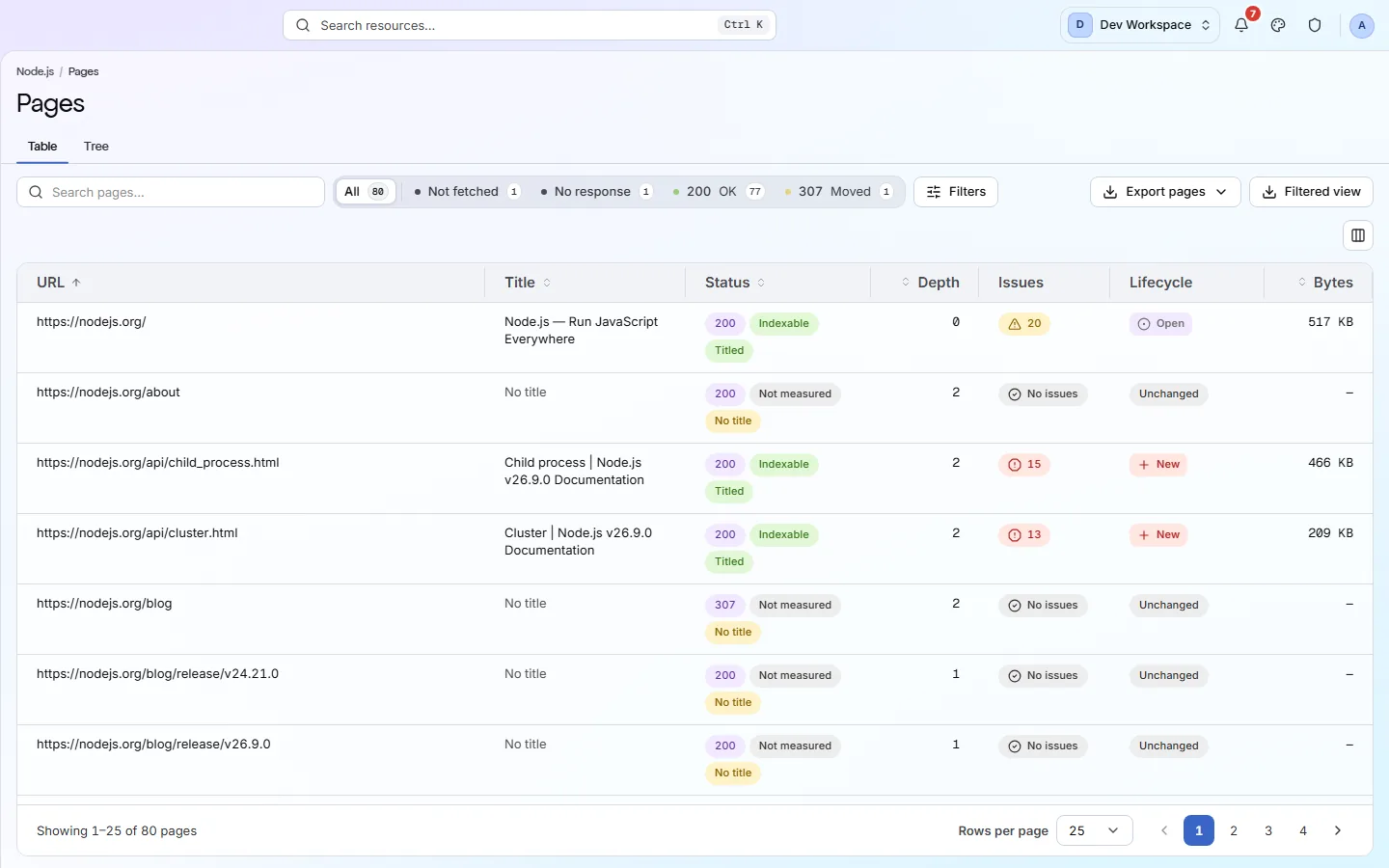
If any two of these are true, this page is for you
None of them is unusual. They are what happens to a site that ships regularly and is only ever looked at deliberately.
- Filters and sort parameters have generated more URLs than you have products.
- A product template change broke the JSON-LD and nothing said so for a month.
- Discontinued lines 404 from category pages that are still linked from the homepage.
- The canonical strategy was decided two platform migrations ago and nobody has checked it since.
What PixyScan does
3 things, specifically
Each one is a mechanism in the running product, not a positioning statement.
- 01
Parameterised URLs, audited as a group
The Indexability discipline checks parameterised and faceted URLs for whether they are canonicalised, and whether the canonical stays clean rather than carrying the parameters with it. On a catalogue that is the difference between one indexable page and four thousand near-duplicates.
- 02
Product schema validated, not just detected
JSON-LD is parsed and validated per type across the 22 checks in the Structured Data discipline - Product, Organization, Breadcrumb, FAQ and more. A schema block that exists but does not validate is the most common way a rich result quietly disappears.
- 03
Reach tells you it is the template
A finding on 4,000 of 4,200 pages is a template. On 6 it is six products. Every finding carries that ratio, so you know which before you open it.
How it fits your week
Day one, then every week after
When you would actually open it. A tool you have to remember is a tool that gets forgotten, so most of this runs without you.
- Step 1
Day one: a budget, exclusions, and the parameter audit
Set the page budget to the size of the canonical catalogue, exclude the facet and sort parameters you already know generate noise, and read the Indexability findings on the parameterised URLs first: they tell you whether the canonicals are doing their job across the rest.
- Step 2
Every deploy: templates checked by reach
A nightly schedule catches a template change the morning after. Any new finding at 90% reach or more is a template; anything at 1% is a handful of products. The product schema validation runs on every product page every night, so a broken block is one night old, not one month.
- Step 3
Every month: the catalogue's dead ends
Links filtered to broken, sorted by the number of pages linking to each, is the list of discontinued products still linked from live category pages. The Structure depth distribution shows how much of the catalogue has drifted beyond three clicks.
Worth knowing
- Broken internal links and redirect chains found across the whole catalogue, not sampled.
- Image checks - alt text, dimensions, format, weight - over every image the crawl discovers.
- Click depth distribution, because a product four clicks from the homepage is a product that does not get crawled.
- Page budgets, crawl exclusions and a choice of engine - fast HTTP, or Playwright rendering the page's JavaScript on Pro and above.
What it will not do for you
- The Playwright engine costs roughly seven times the wall clock of the HTTP one. A four-thousand-product catalogue rendered page by page needs the budget and the credits to match.
- No stock, price or revenue data - this reads your HTML, not your commerce backend.
Above the signup button on purpose
What is different four weeks later
Each of these is something you could check, not something you would have to take on trust.
- A product-template change that breaks JSON-LD is a New finding the next morning with the affected URLs attached.
- Faceted URLs that escape canonicalisation are findings, not a suspicion.
- Discontinued products still linked from live pages are a filtered list you can hand to merchandising.
- The page budget and exclusions keep a four-thousand-product site inside its monthly credits.
Before you ask
Things people in your position ask first
Plans, edges, and the honest answer to the question this page is most often found by.
Our product data renders client-side. What will it see?
Whichever you choose. The default HTTP engine reads what the server sends - if the price, the name and the JSON-LD only appear after hydration, it reports what it received, and so may a search crawler on its first pass. That is a real finding about the site, and usually the first thing to fix. On Pro and above, switch the site to the Playwright engine under Settings, Crawl: headless Chromium executes the page's JavaScript, waits for the render to settle, and the audit runs against the resulting DOM. It costs roughly seven times the wall clock, so size the page budget for it.
Can it crawl the whole catalogue?
Up to the plan's pages per scan: 10,000 on Basic, 15,000 on Pro, unlimited by contract. Exclusions and the budget let you spend that on canonical product and category pages rather than on facets.
Does it know about stock or price?
No. It reads the HTML, including the offers inside your Product schema, and validates that the schema is well-formed. It has no connection to your commerce backend and does not report revenue.
The screens and capabilities behind this
See what is actually on your site
Point PixyScan at a URL and read the first report in a few minutes. The free plan covers one site and 500 URLs a month - enough to find out whether any of this is true.
No card required · 500 URLs a month on the free plan