

A full audit on day one, and a diff every day after
The audit is the easy part - every tool in this category can produce a list. The part that changes anything is the second scan, because that is the first time a finding means something changed.
If any two of these are true, this page is for you
None of them is unusual. They are what happens to a site that ships regularly and is only ever looked at deliberately.
- You need a defensible audit now, and something that keeps it true afterwards.
- The last audit was a 60-page PDF that nobody opened twice.
- Findings arrive as percentages with no URLs behind them.
- It is never clear which finding to do first, so the easy ones get done first.
What PixyScan does
3 things, specifically
Each one is a mechanism in the running product, not a positioning statement.
- 01
150 checks across 10 disciplines
On-Page, Structured Data, Link Integrity, Delivery & Trust, Crawlability, Social & Sharing, Content & Answers, Indexability, Media and International - on every crawled page, every run.
- 02
A score with the arithmetic shown
One number out of 100, weighted by severity, with the per-discipline pass rate behind it and the exact points each unfixed check is costing. The formula is published.
- 03
Every finding tied to exact URLs
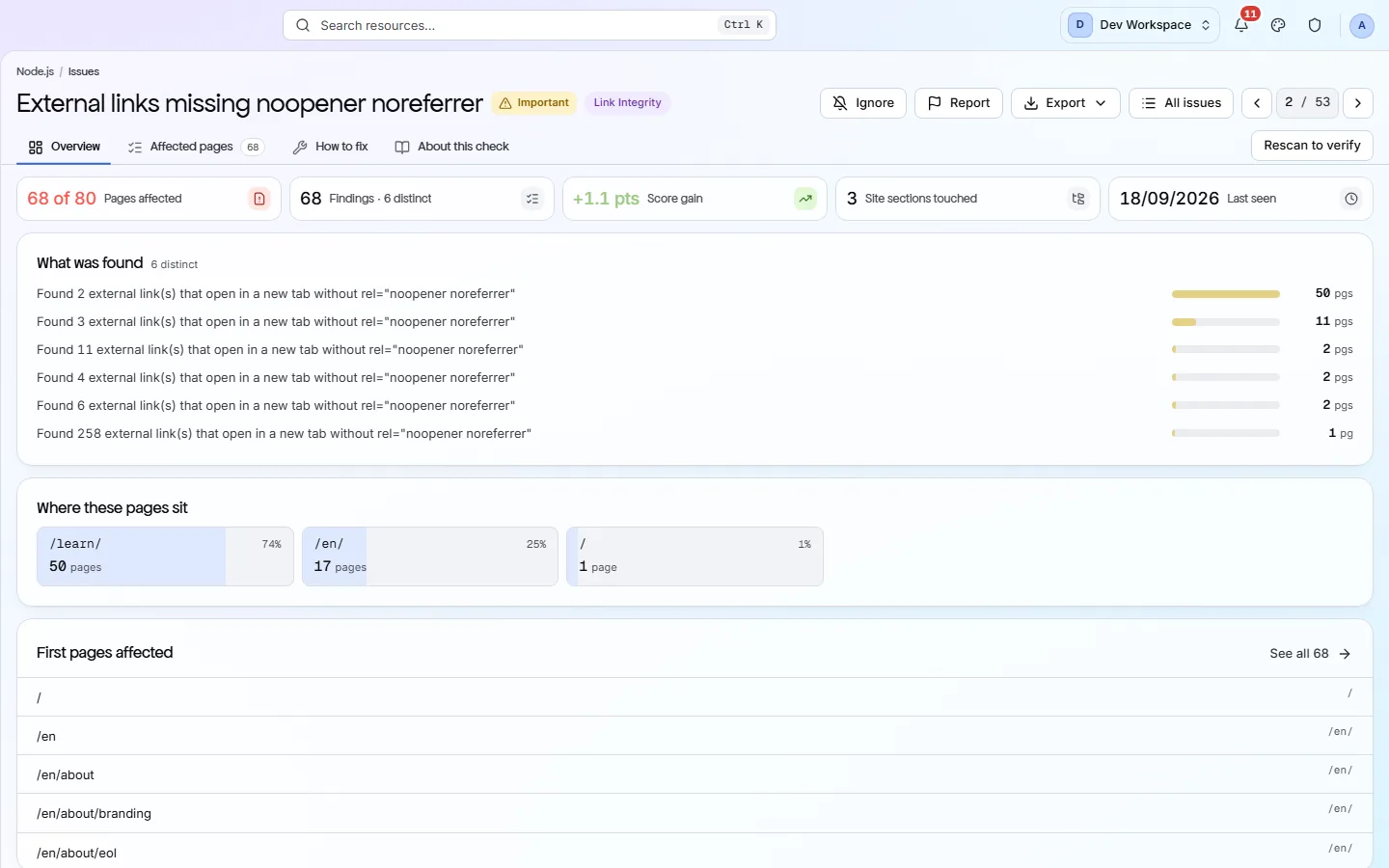
Open any failed check to see every page that fails it and what was found on each. Never a percentage with nothing behind it.
How it fits your week
Day one, then every week after
When you would actually open it. A tool you have to remember is a tool that gets forgotten, so most of this runs without you.
- Step 1
Day one: the audit
Connect the site, wait for the first scan, and you have it: every failing check with its severity, its reach and the points it costs, ranked by impact. Export the Full PDF for the record and the Issues CSV for whoever does the work.
- Step 2
Every week: the diff
On a schedule, every subsequent run is compared with the last. The audit stops being a document and becomes a Changes screen: what appeared, what your fixes resolved, what remains. The second scan is the first one that can tell you something changed.
- Step 3
Whenever asked: the arithmetic
When someone asks why the score is 84, the answer is a specific list of checks and what each costs, with the formula published on this site. When they ask what to do first, the answer is the top of the impact column.
Worth knowing
- 16 critical, 69 important and 41 standard checks, plus 24 suggestions that cost no points.
- Each check carries a written guide - what it is, why it matters, how to fix it - inside the product.
- Export the issue list to CSV, XLSX or JSON, or render the whole run as a PDF.
- Check scopes narrow a check to or from URL patterns per site. An ignored check still costs the score, so the number cannot be gamed.
What it will not do for you
- Core Web Vitals come from PageSpeed Insights and CrUX, on Hobby and above, and need your own Google API key. Without the key the audit is the HTML you serve.
- No backlink or off-page analysis of any kind.
Above the signup button on purpose
What is different four weeks later
Each of these is something you could check, not something you would have to take on trust.
- An audit with URLs behind every finding and a written fix per check, on the first day.
- A score whose every point can be accounted for by a named check.
- The audit kept true by a schedule, so next quarter's is a comparison rather than a repeat.
- The easy findings no longer done first by default, because the list is ordered by what is actually worth doing.
Before you ask
Things people in your position ask first
Plans, edges, and the honest answer to the question this page is most often found by.
How is this different from a one-off audit tool?
The first scan is the same idea: a list. The difference is the second scan, which turns the list into a diff, and the schedule, which keeps producing diffs without anyone remembering to run it.
Can we get the audit without the subscription?
The Free plan runs every check on one site up to 500 URLs a month and shows the full report in the product. The six report documents download on every plan, Free included, though Free gives you the findings without the remedy. Dataset exports, schedules, Core Web Vitals and the scan-to-scan comparison are what Hobby and above add.
Does it audit page speed or backlinks?
Page speed, yes - on Hobby and above, with your own Google API key, through PageSpeed Insights and CrUX: LCP, INP, CLS, TTFB and FCP, sampled against a per-scan budget. Backlinks, no: there is no backlink index and no off-page data of any kind. The markup audit itself runs on every crawled page rather than a sample.
The screens and capabilities behind this
See what is actually on your site
Point PixyScan at a URL and read the first report in a few minutes. The free plan covers one site and 500 URLs a month - enough to find out whether any of this is true.
No card required · 500 URLs a month on the free plan