

User guide4 min
Members and roles
Roles are set at two levels: once for the whole workspace, then again per site. That is how you give somebody access to one site without giving them the rest.
Send an invitation#
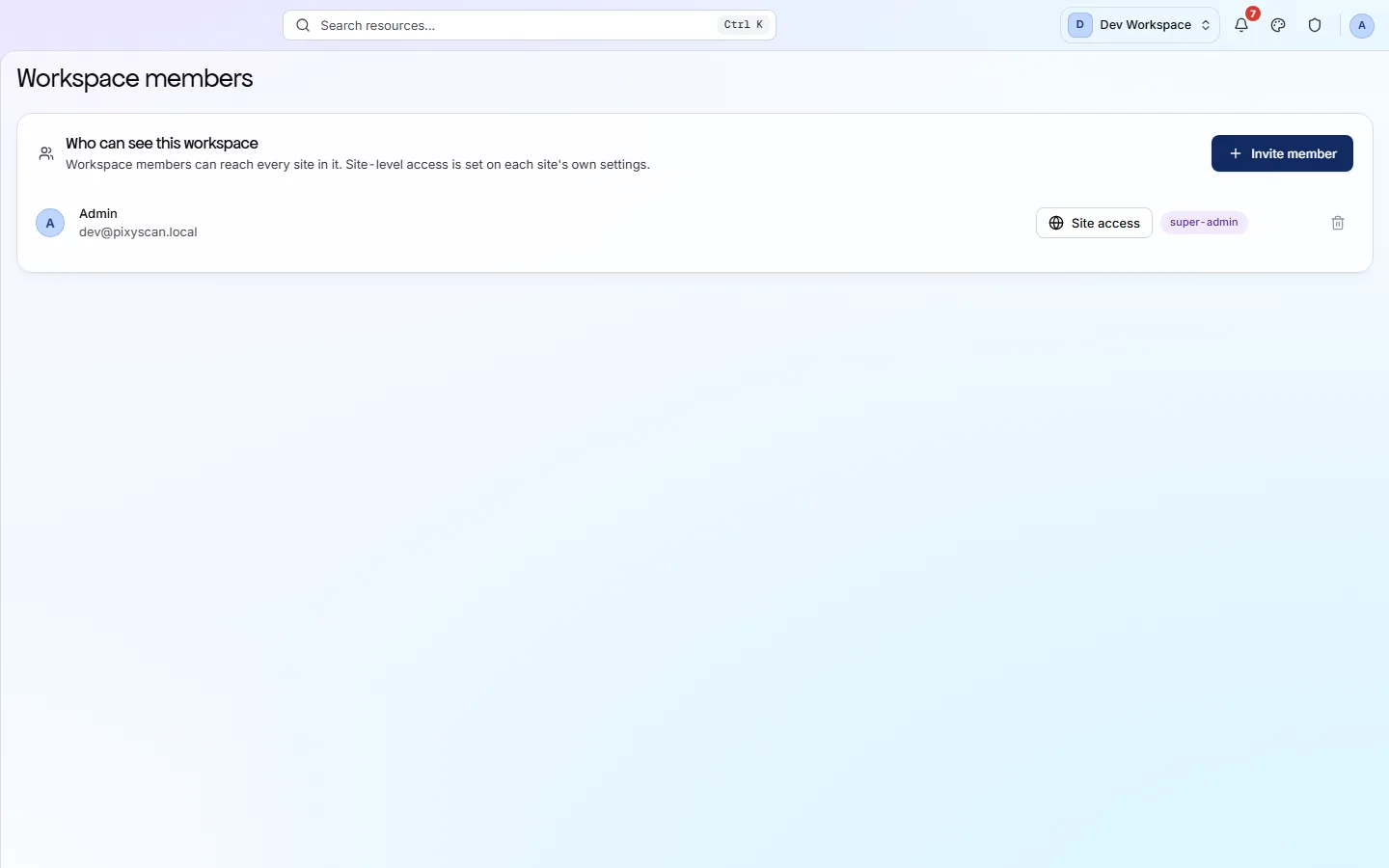
Settings → Members, in the workspace sidebar. Invitations go out by email.
- 1
Open Members in the workspace rail
Under Settings, beside General and Plan & billing.
- 2
Press Invite member and enter the address
The role you choose here applies to every site in the workspace, unless an individual site says otherwise.
- 3
They accept from the email
Somebody without a PixyScan account goes through sign-up first, then returns to the invitation. An account created this way gets no workspace of its own, because it already belongs to yours.
- 4
Narrow them down per site, if you need to
Site access on their row opens the per-site list, where you can limit them to the sites they are working on.
app.pixyscan.com/w/…/settings/members
How the two levels work together#
The workspace role comes first. Only one of the three can be changed per site.
| Field | On a site | What it does |
|---|---|---|
| Workspace admin | Pinned to every site | Cannot be reduced per site. An admin of the workspace administers everything in it. |
| Workspace viewer | Pinned to viewer | Cannot be raised per site. Read-only in the workspace means read-only everywhere in it. |
| Workspace member | Set per site | The flexible role. Their access to each site is whatever that site's members list says. |
Giving a contractor one site
The per-site half is on the site's own Settings → Members tab.
Seats are a plan limit#
One seat on Free, more on paid plans.
| Field | Seats | What it does |
|---|---|---|
| Free | 1 | Just you. Inviting anyone needs a paid plan. |
| Hobby | 2 | You and one other person. |
| Basic | 3 | A small team. |
| Pro | 10 | A larger team. |
| Enterprise | By contract | Agreed with us rather than listed. |
Seats in use, and invitations that have not been accepted yet, are both counted on Plan & billing. Compare the plans
If the product does not match this page, the page is wrong and we would like to know. Tell us