

SEO as a build check, not a quarterly surprise
Nobody on your team wants to become an SEO. They want the thing that silently breaks on deploy to fail a pipeline instead, with a URL and a line to look at.
If any two of these are true, this page is for you
None of them is unusual. They are what happens to a site that ships regularly and is only ever looked at deliberately.
- A framework upgrade dropped canonical tags across a route group and nothing caught it.
- Marketing sends a PDF of findings with no URLs and no way to reproduce any of them.
- The staging crawl and the production crawl are the same crawl, so the numbers are meaningless.
- “Is this page indexable” is a question that takes twenty minutes and a browser extension.
What PixyScan does
3 things, specifically
Each one is a mechanism in the running product, not a positioning statement.
- 01
An exit code
Issue a per-site client secret, run one CLI command in CI, and read the result. The scan runs against the branch's environment URL and exits non-zero when the score falls below the threshold you set - enough for the pipeline to fail the build.
- 02
Branch-aware, so preview deploys stay separate
A scan records the branch it ran against and is only ever compared with the previous scan on the same branch. Map a branch pattern to a URL and a preview run is filed as preview rather than becoming production's baseline.
- 03
Findings with URLs, not adjectives
Every finding lists the exact pages it was found on, what was found on each, and the HTML head, headers and canonicals recorded for that URL. Reproducible without a meeting.
How it fits your week
Day one, then every week after
When you would actually open it. A tool you have to remember is a tool that gets forgotten, so most of this runs without you.
- Step 1
Day one: a secret, a branch map and a floor
Issue the client secret under SDK & CI/CD, map main to production and your preview pattern to its host, and set the score floor to what the site scores today. Add one step to the pipeline that runs npx pixyscan-sdk run and fails on exit code 1.
- Step 2
Every pull request: an exit code
The pipeline scans the preview deploy, compares it with the previous preview run, and exits 0 or 1. A regression is a red check on the pull request with the finding and its URLs in the log, and the fix goes into the same branch before merge.
- Step 3
Every release: the Changes screen for production
The production scan after a deploy shows what the release changed in three columns. New is what to hotfix; Resolved is what the release fixed; Still open is the backlog you can now hand to the next sprint with impact scores attached.
Worth knowing
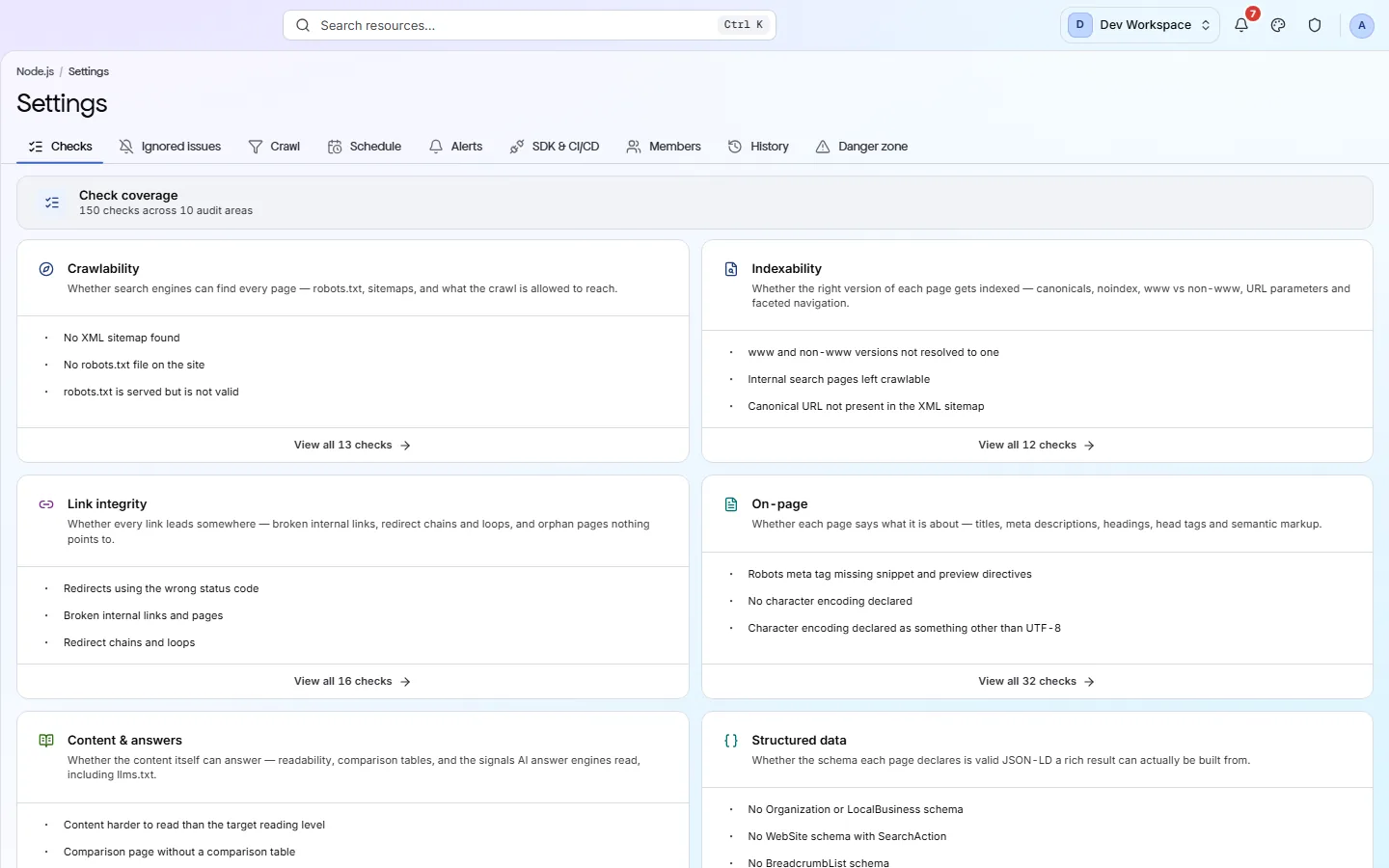
- Two crawl engines per site: fast HTTP by default, or Playwright headless Chromium that executes the page's JavaScript, on Pro and above.
- On the HTTP engine a title injected client-side is reported missing rather than quietly rendered - which is what a search crawler sees on its first pass.
- Check scopes: a check can be limited to, or excluded from, URL patterns per site. An ignored check still costs the score, so the number cannot be tuned.
- Exclusion patterns keep the crawler out of /admin and anywhere else it should not be.
What it will not do for you
- There is no GitHub app that comments on a pull request or blocks a merge. It is a token, a CLI and an exit code - your pipeline makes the call.
- The CI score threshold defaults to 97, which almost no real site clears. Set it to what your site scores today before you turn the gate on.
- No public REST API yet. Results come out as files - PDF, CSV, XLSX, JSON or Markdown - rather than from a documented endpoint.
Above the signup button on purpose
What is different four weeks later
Each of these is something you could check, not something you would have to take on trust.
- A dropped canonical, a missing H1 or a noindex on a route group fails the build instead of reaching production.
- Every finding arrives with URLs, the exact head the crawler saw and a written fix, so nothing needs a meeting to reproduce.
- Preview runs stay in their own history and production's trend is the trend of production.
- The SEO conversation moves from a PDF every quarter to a check on the pull request.
Before you ask
Things people in your position ask first
Plans, edges, and the honest answer to the question this page is most often found by.
Does it need a config file in the repo?
No. One command with the secret is enough; the branch is detected from your CI and the URL comes from the map in settings. A pixyscan-settings.json is optional, for when a repository needs its own score floor or fail-on list reviewed alongside the code.
What does the crawler see on a client-rendered app?
That is a per-site choice under Settings, Crawl. The default HTTP engine reads what the server sends, which is the point: if the title, canonical or structured data is injected after hydration, it reports it as missing, and so may a search crawler on its first pass. On Pro and above you can switch the site to the Playwright engine, which runs headless Chromium, executes the page's JavaScript and audits the resulting DOM. It costs roughly seven times the wall clock, so it is the slower answer to the same question.
How long does the pipeline step take?
The scan runs to the page budget you set, and the command waits for it with a five-minute default timeout you can raise. For a pull-request gate, set a smaller budget on the preview environment than on production.
The screens and capabilities behind this
See what is actually on your site
Point PixyScan at a URL and read the first report in a few minutes. The free plan covers one site and 500 URLs a month - enough to find out whether any of this is true.
No card required · 500 URLs a month on the free plan