

User guide3 min
Structure
The shape of your site rather than its health: which sections are largest, how far pages sit from the homepage, and the same hierarchy drawn three different ways.
How to get there#
Explore → Structure.
- 1
Open Structure in the sidebar
After Social.
- 2
Overview first, then pick a drawing
The tab you are on is saved in the address, so a link you share opens the same view.
app.pixyscan.com/w/…/s/…/structure
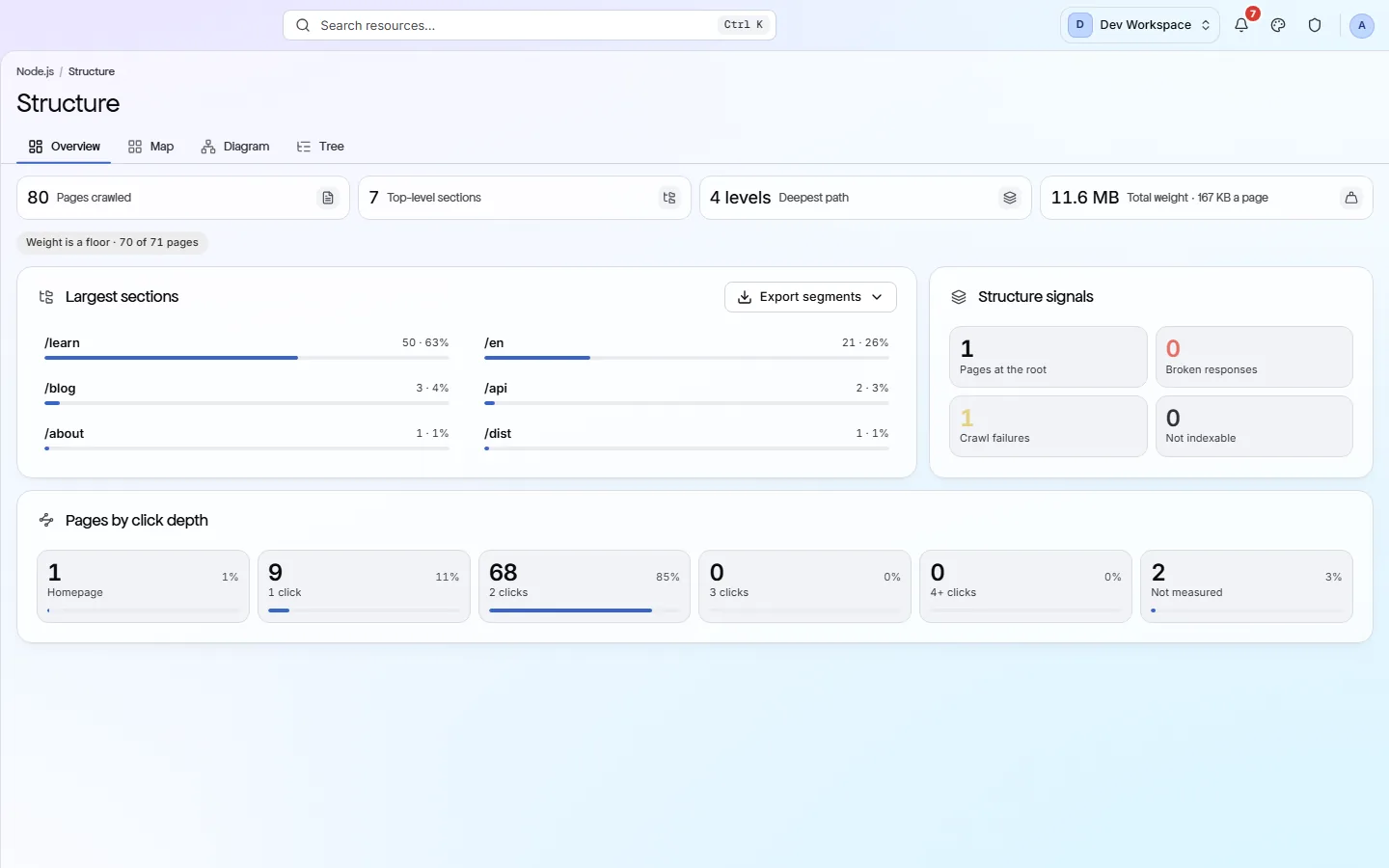
The four tabs#
A summary, then three ways of drawing the same hierarchy.
| Field | Answers | What it does |
|---|---|---|
| Overview | Is the shape sensible? | Which sections hold most of the site, how many clicks from the homepage your pages sit, and the crawl's structural signals. |
| Map | Where is the weight? | Nested rectangles sized by page count and coloured by depth. The quickest way to spot that one folder is two thirds of the site. |
| Diagram | How does it branch? | The same hierarchy as connected boxes, top to bottom or left to right, with a fullscreen view. Good for presentations. |
| Tree | What is in there exactly? | The hierarchy as expandable rows, for when you want page names rather than proportions. |
Map
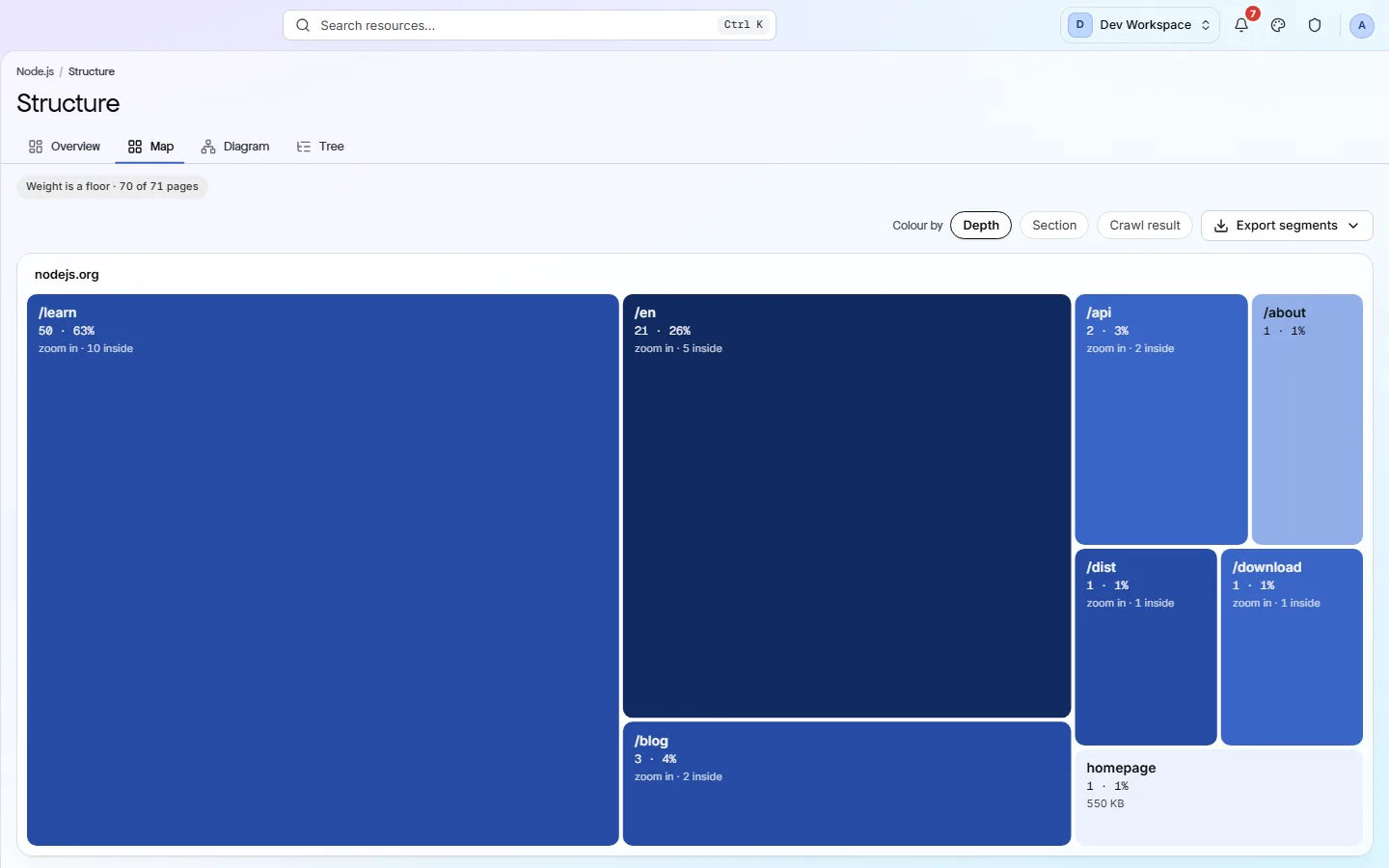
Why click depth matters#
Crawlers find deep pages late, or not at all.
Depth is how many clicks a page is from the homepage. Anything past three or four is reached late by search engines, and often not at all by AI crawlers, which usually give up sooner. A large section sitting at depth six is effectively unpublished.
Nothing here comes from the checks
If the product does not match this page, the page is wrong and we would like to know. Tell us