

User guide4 min
Run a scan
One button, at the top of the site's left sidebar. The scan keeps running whether or not you watch it, and tells you on the bell when it finishes.
Press Scan now#
Top of the site sidebar, on every screen of that site.
- 1
Open the site
From the workspace's Sites list, or the site picker at the top of the sidebar.
- 2
Press Scan now
It sits directly under the site's name and health score. One click starts the run; there is no confirmation step.
- 3
Carry on with something else
The scan runs on our servers. Closing the tab, signing out or losing your connection will not stop it, and you are notified when it finishes.
| Field | Where it goes | What it does |
|---|---|---|
| Scan specific URLs… | A dialog | Crawls only the addresses you paste in. Useful for re-checking a handful of pages you just fixed without spending credits on the rest of the site. |
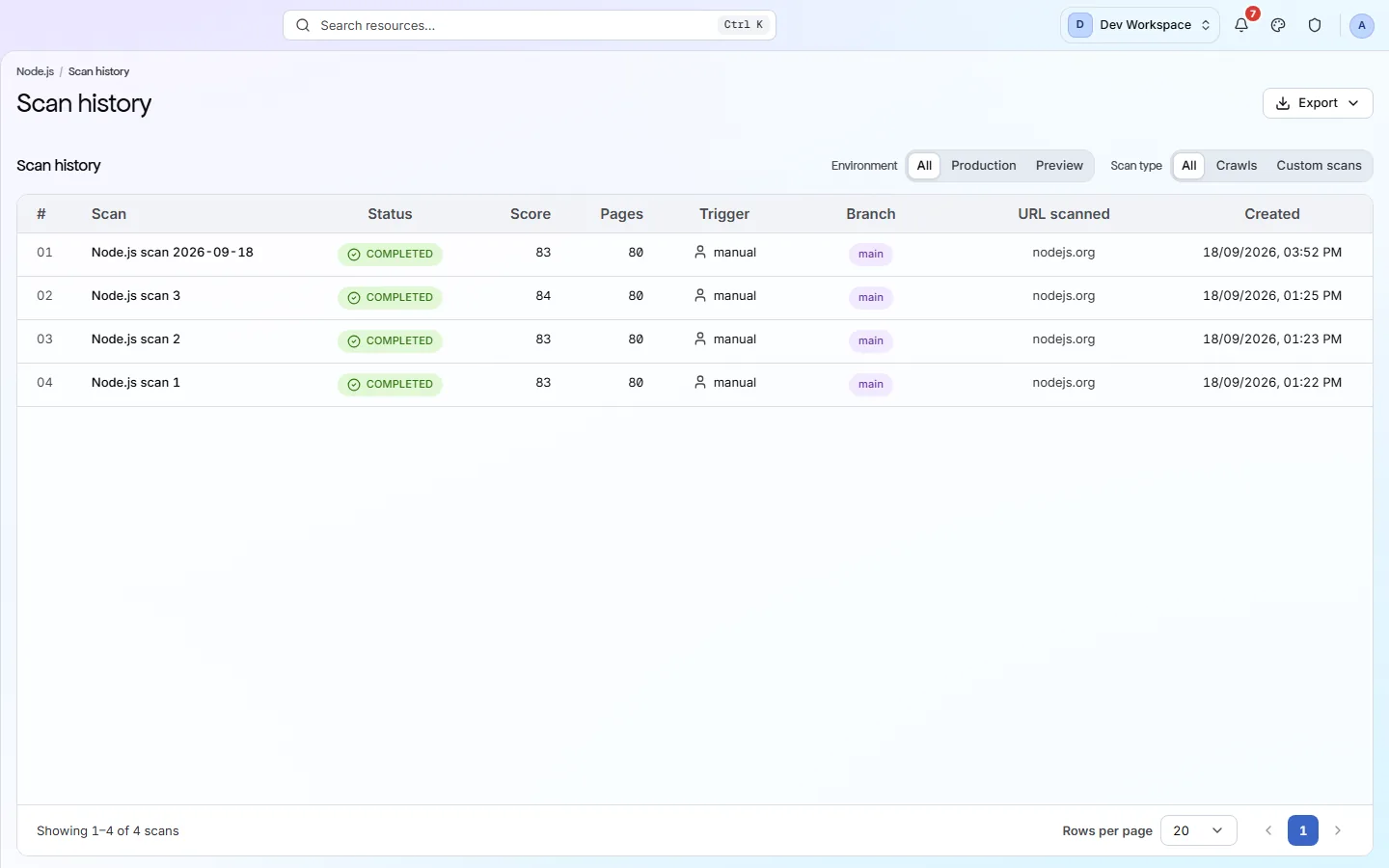
| View scan history | The Scans screen | Every scan this site has run, with what triggered it and what it found. |
| Schedule scans | Settings → Schedule | Turn the one-off run into a daily, weekly or monthly one. |
What happens while it runs#
PixyScan fetches your pages, then runs every check against each one.
The crawler starts at your homepage, reads robots.txt, follows your sitemap if you have one, and works outwards through your links until it hits the page budget or an exclusion rule. Every page it fetches goes through all 150 checks - nothing is sampled.
- A few hundred pages
- Usually a few minutes
- Concurrent scans per site
- One
- If you close the tab
- The run continues
- When it finishes
- An alert on the bell
How long it takes depends on how many pages you have and how quickly your server answers. While a scan is running the sidebar button becomes Cancel, because a site can only run one scan at a time.
A slow scan is usually a slow server
When it finishes#
A score, a list of issues, and a record of the run.
The site overview fills in with the health score out of 100, how many checks broke and were fixed, and a card for each audit area. The Issues screen becomes your to-do list. Both are covered on the next two pages.
app.pixyscan.com/w/…/s/…/scans
Your first scan is a baseline#
Comparisons need two scans, so the second one is where the diff starts.
The first run tells you what is wrong with the site today. From the second run onwards you also get a comparison: new, resolved and still-open findings, measured against the previous run on the same branch.
The easiest way to get a second run is to schedule one. Put it on a schedule
A high first score is not a clean bill of health
If the product does not match this page, the page is wrong and we would like to know. Tell us