

Every dead end a visitor or a crawler can reach
Link rot is not an event, it is weather. The links you shipped fine two years ago are the ones breaking now, and nothing on your side changed.
If any two of these are true, this page is for you
None of them is unusual. They are what happens to a site that ships regularly and is only ever looked at deliberately.
- You have no idea how many outbound links on the site are dead.
- Internal 404s are only found when somebody clicks one and mentions it.
- A redirect chain three hops long is technically working, so nothing flags it.
- Mixed content - an http:// link on an https:// page - is still lurking somewhere.
What PixyScan does
3 things, specifically
Each one is a mechanism in the running product, not a positioning statement.
- 01
Internal and external, on every crawled page
Broken internal links and orphan pages are Link Integrity findings, read straight off the crawl; outbound destinations are checked with a HEAD request budget and grouped by the site they point at.
- 02
Redirect chains and loops as findings
Not just “this 301s” - the number of hops, and whether it ever arrives. A three-hop chain is a finding with the URLs in it.
- 03
On a schedule, so rot is caught as it happens
Daily, weekly or monthly. Each run is compared with the last, so a link that died this week shows up in the new column rather than in a list of four hundred.
How it fits your week
Day one, then every week after
When you would actually open it. A tool you have to remember is a tool that gets forgotten, so most of this runs without you.
- Step 1
Day one: the full list, by destination
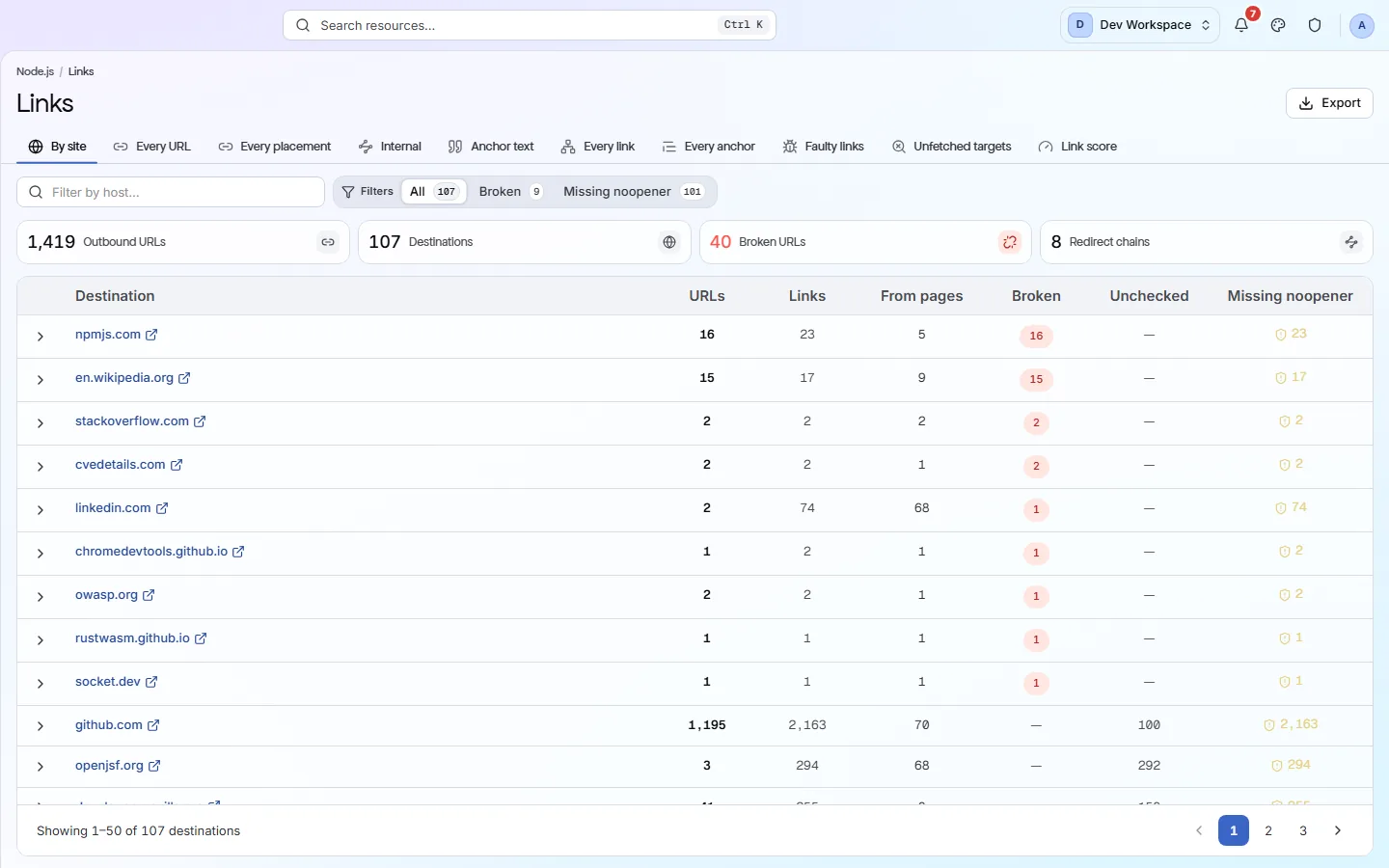
After the first scan, open Links and press the Broken chip. Each row is one destination with the number of placements beside it; the rows with many placements are shared layouts - a footer, a header, a sidebar widget - and each is one fix that clears many pages. Then read Missing noopener separately; that is usually a find-and-replace.
- Step 2
Every week: only the new ones
On a weekly schedule, a link that died since last week appears in the New column of the Changes screen rather than in a list of four hundred. The work becomes a handful of rows, most weeks none.
- Step 3
Every quarter: the destinations
Switch Links to By site and read the domains. Partners that no longer exist, vendors you no longer use and campaigns that ended are visible by name and by count, and the anchor text filter finds every “click here” in one pass.
Worth knowing
- Outbound links grouped by destination - four hundred rows become the nine sites you link to.
- Links missing rel=noopener called out separately from broken ones.
- Anchor text recorded per link, on the page report for any URL.
- Broken-link checking is on Hobby and above; the HEAD request budget scales with the plan.
What it will not do for you
- Broken-link and image checking is not on the Free plan.
- Link checks spend a HEAD request budget - 50,000 a month on Hobby, up to a million on Pro.
- Broken outbound links are reported on the Links screen rather than scored, so clearing them does not move the health score.
Above the signup button on purpose
What is different four weeks later
Each of these is something you could check, not something you would have to take on trust.
- Every broken outbound and internal link on the site is a list on day one, ordered by how many pages each fix clears.
- A link that dies is discovered the week it dies, as one new row.
- Redirect chains three hops long are findings with the hops listed, not silent successes.
- Mixed content on https pages is a separate, filterable list.
Before you ask
Things people in your position ask first
Plans, edges, and the honest answer to the question this page is most often found by.
Does it check every link on every page?
Every link the crawl finds, within the plan's HEAD request budget: 50,000 a month on Hobby, 250,000 on Basic, a million on Pro. Free lists links without checking their status.
Does a broken link affect the score?
Broken internal links are a finding under the Link Integrity discipline and cost points by severity and reach. Broken outbound links are reported on the Links screen and are a fix rather than a deduction.
Can I be emailed when a link breaks?
You can be emailed when the scan that found it finishes. Alerts go out by email, Slack or a JSON webhook on four events - scan completed, scan failed, score decreased and a new critical issue - so a weekly scan lands in your inbox with the run attached to it. There is no alert for one named check, so the Changes screen is still where a link that died this week shows up, in a New column that is short by design.
The screens and capabilities behind this
See what is actually on your site
Point PixyScan at a URL and read the first report in a few minutes. The free plan covers one site and 500 URLs a month - enough to find out whether any of this is true.
No card required · 500 URLs a month on the free plan