

User guide3 min
Social
How your pages look when someone shares a link to them. Read the “Would render blank” tile first: those pages share as a plain grey box.
How to get there#
Explore → Social.
- 1
Open Social in the sidebar
Just after Schema.
- 2
Press a tile or a card row to narrow the Table
This is how you get from “3 would render blank” to the three URLs.
app.pixyscan.com/w/…/s/…/social
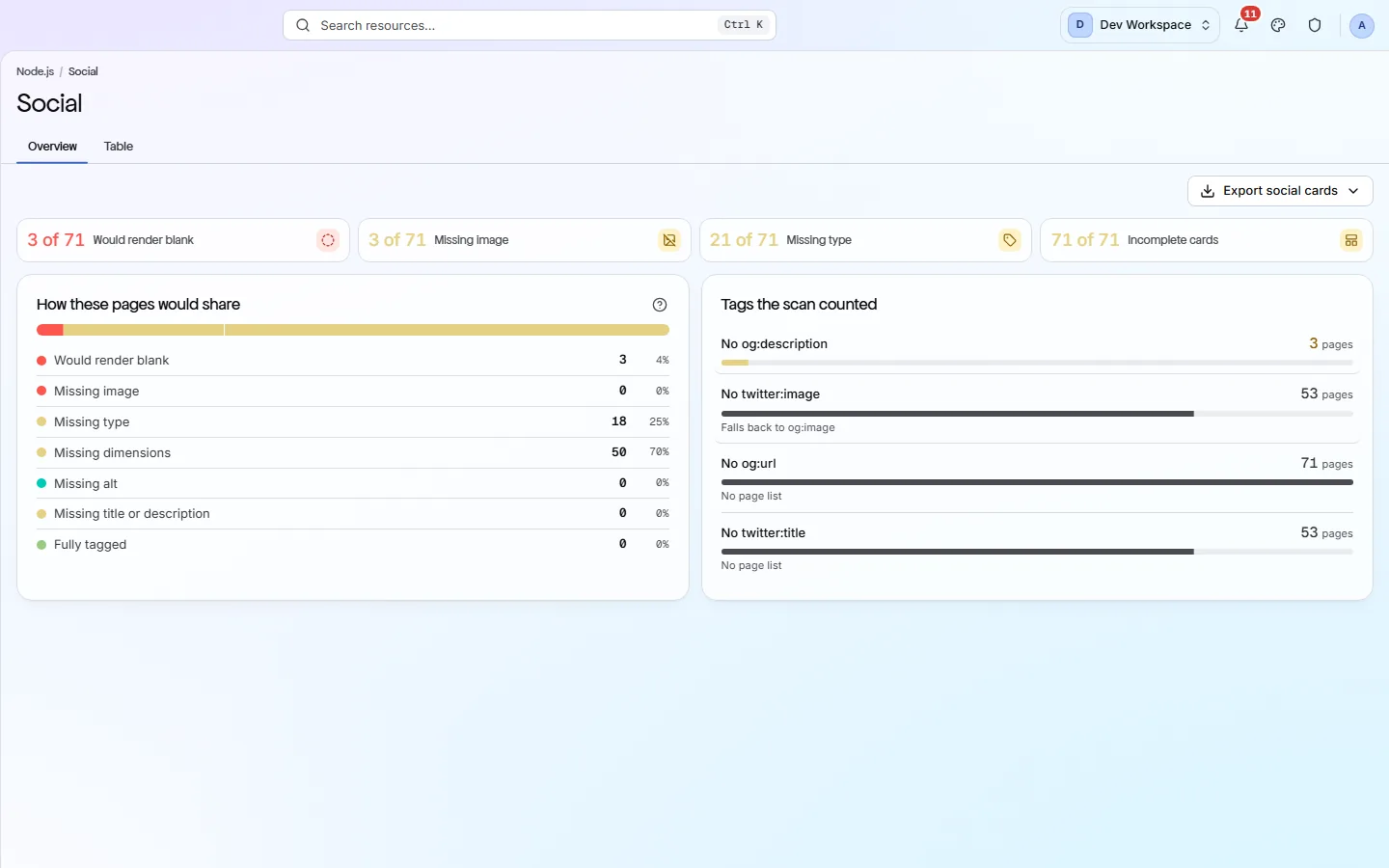
The four tiles#
Most serious first, left to right.
| Field | Example | What it does |
|---|---|---|
| Would render blank | 3 of 71 | No usable title, description or image, so the link shares as a bare URL. This is the one to fix first. |
| Missing image | 3 of 71 | A card with no picture. It still works, but it shares small and grey. |
| Missing type | 21 of 71 | No og:type, so the platform has to guess what kind of page it is. |
| Incomplete cards | 71 of 71 | Any page missing one or more tags. This is usually a high number, and rarely urgent. |
The two cards#
What would happen, and which tag causes it.
| Field | Rows | What it does |
|---|---|---|
| How these pages would share | Seven states | Would render blank, missing image, missing type, missing dimensions, missing alt, missing title or description, and fully tagged. Each page is counted once, under its worst problem. |
| Tags the scan counted | Per tag | One row per missing tag, with the pages affected. Where a fallback exists, such as twitter:image falling back to og:image, the row says so. |
Missing dimensions is usually harmless
og:image:width and og:image:height let a platform reserve space before the image loads. Without them the card still looks right, it just flickers. Fix the blank cards first.
The Table tab lists every page with its tags. Each row opens that page's report, where the Social tab previews the card as Facebook and X would show it.
If the product does not match this page, the page is wrong and we would like to know. Tell us