

User guide2 min
Workspace alerts
Every scan event from every site in the workspace, newest first, one row per scan. It is the same list as the bell in the top bar, with room to read it.
How to get there#
Two ways into the same list.
- 1
Workspace alerts in the rail
Shown when no site is open. The badge beside it is the unread count.
- 2
Or the bell in the top bar
Available from anywhere, including inside a site. The bell shows the same rows in a small panel.
app.pixyscan.com/w/…/alerts
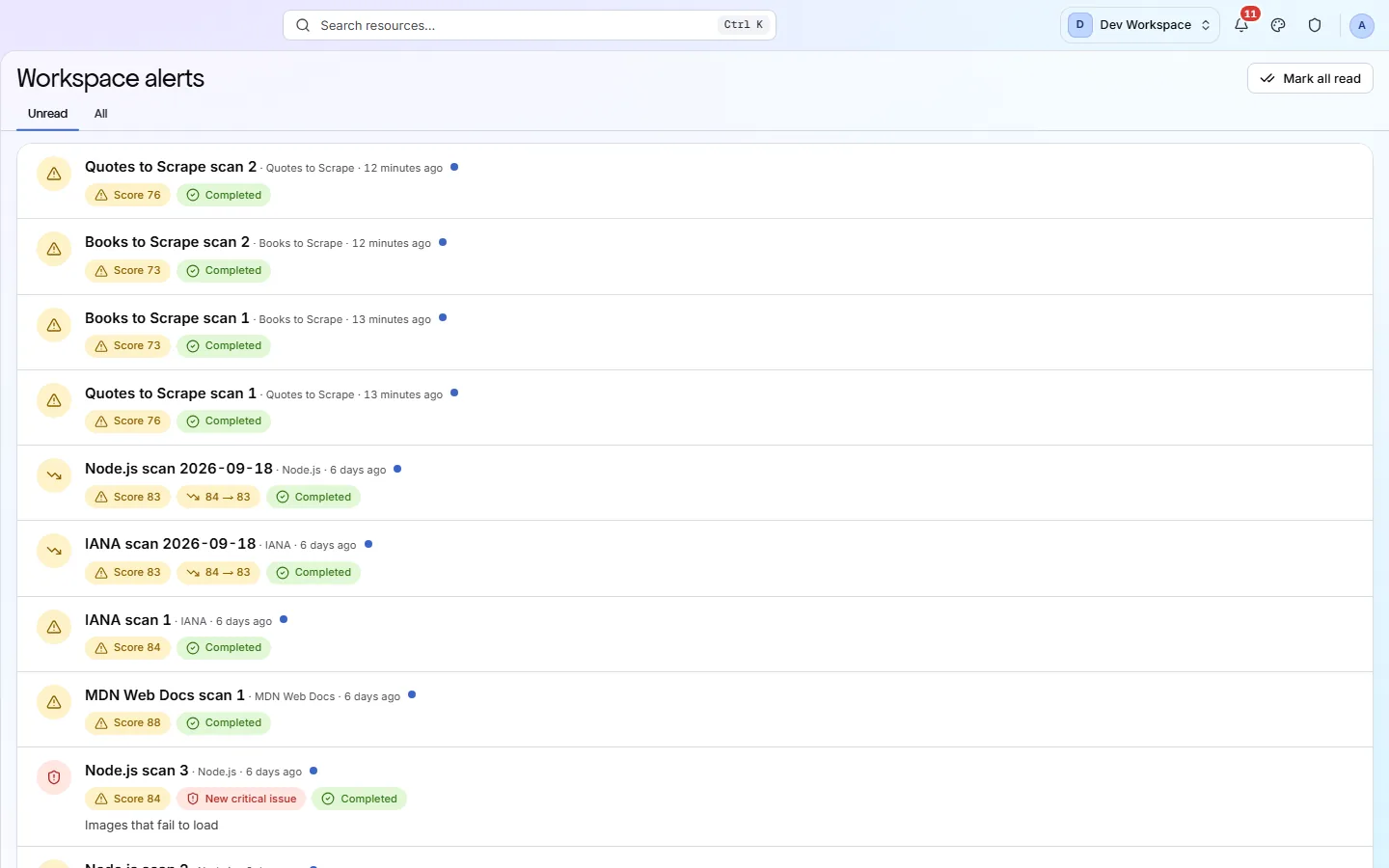
Reading a row#
The scan, then what it raised.
| Field | Example | What it does |
|---|---|---|
| Title | Node.js scan 3 | The scan, with the site name and how long ago it finished beside it. |
| Score | Score 84 | What that scan scored. |
| Movement | 84 → 83 | Shown only when the score changed from the previous scan. |
| New critical issue | Named | A critical check started failing that was passing before. Its name is printed underneath. |
| Status | Completed | Or Failed, because a scan that could not finish is worth knowing about. |
| Blue dot | Unread | It clears when you open the row. |
Click a row to open that scan. Mark all read clears the badge without opening anything.
Which events appear is a per-site setting
The events raised, and whether they also go out by email, Slack or webhook, are configured on each site. Site settings → Alerts
If the product does not match this page, the page is wrong and we would like to know. Tell us