

User guide3 min
Trust
Your certificate, the response headers a browser uses to decide how far to trust the site, and anything still loading over HTTP. The fixes here usually belong to whoever runs your servers.
How to get there#
Explore → Trust.
- 1
Open Trust in the sidebar
Last under Explore.
- 2
Start on Overview
Two cards: the certificate on the left, header coverage on the right.
app.pixyscan.com/w/…/s/…/trust
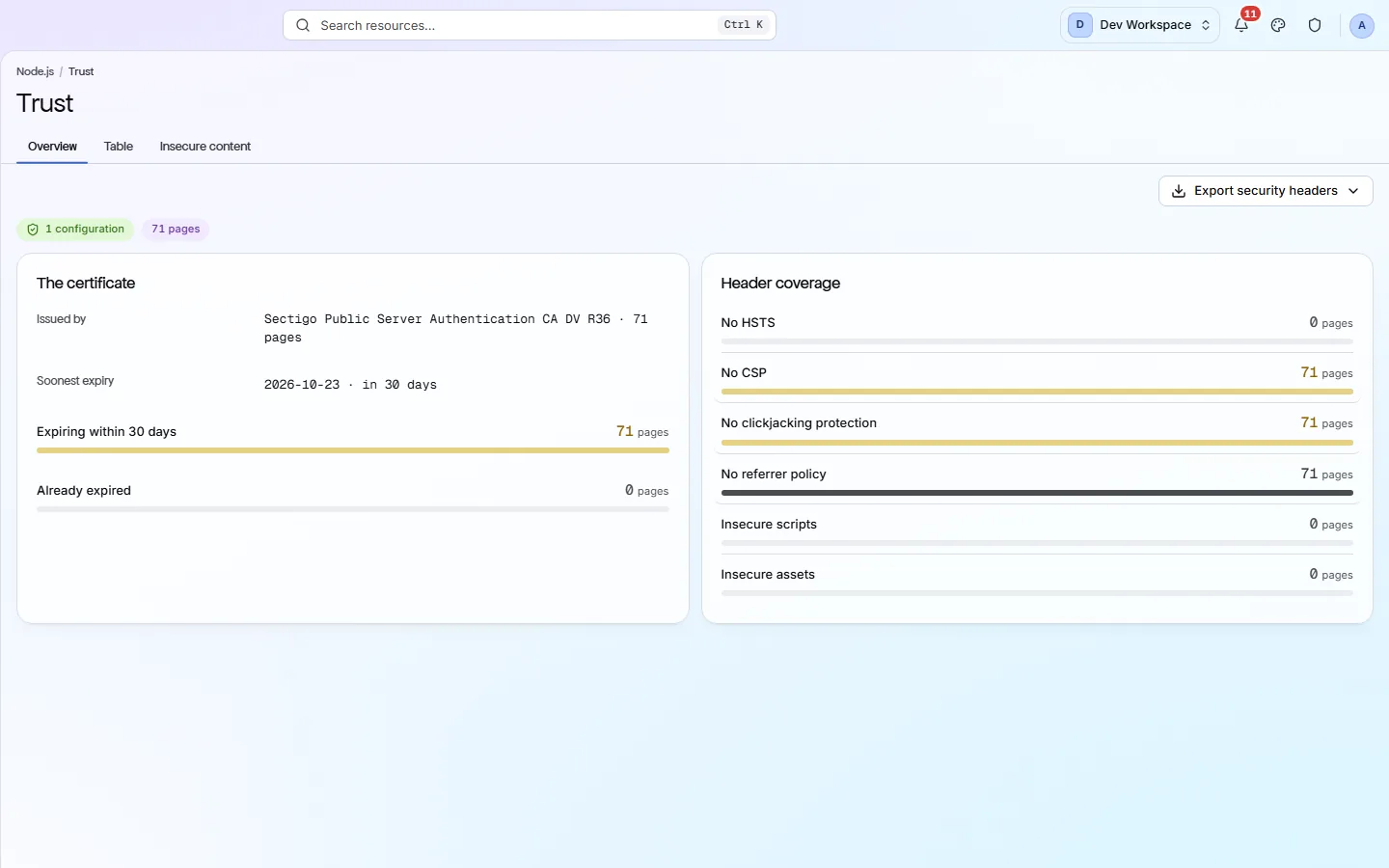
The three tabs#
A summary, the detail per page, and the insecure files.
| Field | Shows | What it does |
|---|---|---|
| Overview | Two cards | The certificate and header coverage, with a badge showing how many different configurations were found. |
| Table | Per page | Which headers each page actually sent, including their values. |
| Insecure content | Per asset | Scripts and files loaded over HTTP from an HTTPS page. Usually the shortest list here, and the most urgent. |
The five headers#
Most sites send none of these. Very few send all five.
| Field | If missing | What it does |
|---|---|---|
| Strict-Transport-Security | Downgrade possible | The browser tries HTTP first on a new visit. This is one header, set once, on your server or CDN. |
| Content-Security-Policy | No injection defence | The hardest of the five to add, because a wrong policy breaks the site. Do it carefully. |
| Clickjacking protection | Framable | Your page can be embedded inside somebody else's site. |
| Referrer policy | Leaky | The full URL is sent with every outbound click, which can reveal private paths. |
| Mixed content | Broken padlock | Not a header, but counted here because it has the same cause: a file reference nobody updated to HTTPS. |
Watch the certificate expiry
An expiring certificate is the one thing on this screen that becomes an outage if you ignore it. Put the site on a schedule and turn on scan-completed alerts so you are reminded.
If the product does not match this page, the page is wrong and we would like to know. Tell us