

Choose what gets scanned, and when
Each site has its own settings. They decide which pages are scanned, how often, who gets alerts and who can see the site. Changes apply from your next scan.
- checks a release can be made to fail on
- 200
- checks a release can be made to fail on
- default minimum score
- 97
- default minimum score
- schedules: daily, weekly, monthly
- 3
- schedules: daily, weekly, monthly
What you can set
Your site, scanned your way
Each site has its own settings. Changes apply from your next scan.
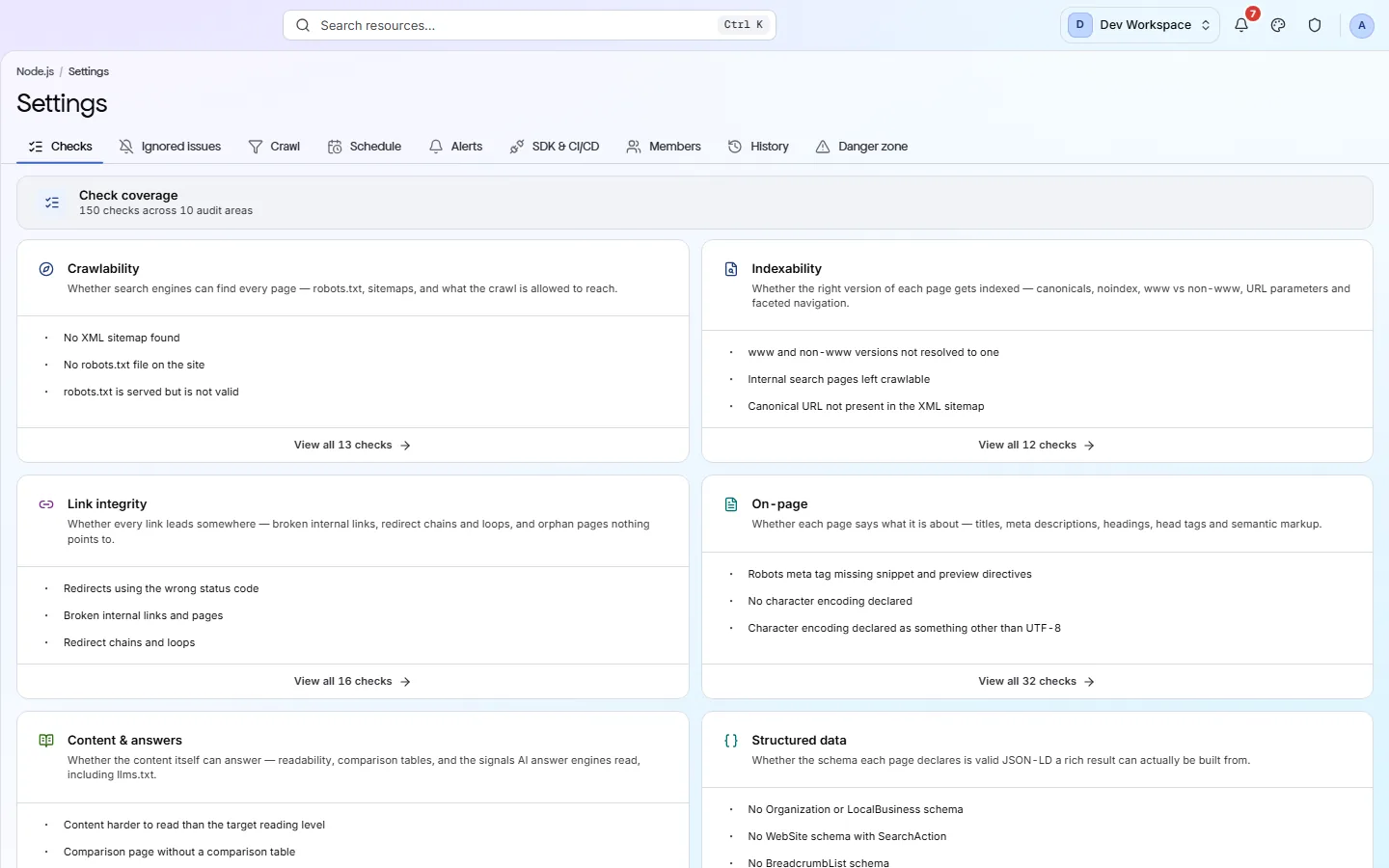
Checks and ignored issues
See every check in each category, and the checks you have chosen to ignore on some or all pages.
Crawl
Which pages are scanned: include and exclude patterns, page limit, depth, robots.txt and sitemap use, logins for staging sites.
Schedule
Scan daily, weekly or monthly at a time in your timezone, and pause any time.
Alerts
Email the site's members, post to Slack or call a webhook when a scan fails, the score drops or a critical problem appears.
CLI & CI/CD
The secret key your build pipeline uses, the lowest score a release may pass with, and which URL each branch scans.
Members and history
Who can see and work on the site, and a log of every settings change, who made it and when.
Plans
Which settings need which plan
- Every plan
Crawl scope, alerts, ignore rules, members and history.
Getting a clean, focused scan from day one.
- Hobby
Scheduled scans and PageSpeed (Core Web Vitals with your own Google key).
Scanning without having to remember to.
- Basic
Search Console, and CLI & CI/CD to check every release.
Teams that ship often.
- Pro
JavaScript rendering, for pages that build their content in the browser.
Sites made with React, Vue and similar tools.
Inside the app
The settings, tab by tab
Which URLs get scanned: include and exclude patterns, depth and page limit.
Click around: it is a working copy of the screen, filled with our test site's data.
Your first visit
Set up a new site in four steps
- 1
Open the Crawl tab and set a page limit that covers your whole site.
- 2
Add exclude patterns for areas you do not want scanned, such as /admin or /cart.
- 3
Create a weekly schedule on the Schedule tab.
- 4
Turn on the alerts you want on the Alerts tab.
What this screen is for
The results it is part of
A screen is where you look. These are the things PixyScan does for your site that you see here.
FAQ
Common questions about this feature
Does changing a setting update my current report?
No. Settings apply from your next scan, because a report is a record of a scan that already ran. Views show a notice with a Rescan button after you change something.
Can I turn off a whole category of checks?
No. Every category runs on every scan, so your score always covers every check. To quiet one check, ignore it on some or all pages. It still counts towards your score.
Which settings need a paid tier?
Scheduled scans and PageSpeed need Hobby or above. Search Console and CLI & CI/CD need Basic or above. JavaScript rendering needs Pro or above. Crawl scope, alerts, ignore rules, members and history work on every tier.
Can I see which deploy changed my Google traffic?
Yes, with Search Console connected. A scan run from your pipeline sends the commit it ran for, found on its own on GitHub Actions, GitLab CI, Bitbucket Pipelines, CircleCI, Vercel and Netlify. Each production deploy's marker on the site's clicks trend then shows its commit, and so does the alert you get if clicks drop sharply in the 3 days after it. A commit value PixyScan cannot use is left out. It never fails the scan.
Can I scan a site behind a login?
Yes, if it uses HTTP Basic Auth (the browser's own password pop-up) or a custom header. Add them on the Crawl tab. PixyScan stores them encrypted. Sites behind a login form on a web page cannot be scanned.
Continue the product tour
Previous feature
Features follow the order of the app’s menu. See the full list to jump to any of them.
See what is wrong with your site
Add your site and get your score, your to-do list and a fix guide for every problem. Free for one site and 500 pages a month, with no time limit.
Nothing to install · Cancel any time