

User guide3 min
Create a workspace
Signing up already created a workspace named after you. Read this if you want a second one, or if you are wondering what a workspace is for.
You already have one#
Sign-up creates it, names it after you, and puts you in it.
The first time you sign in, PixyScan puts you in a workspace called Your Name's Workspace. The name comes from the name you gave at sign-up, or from the part of your email before the @ if you used Google. Rename it at any time under Settings → General.
The exception is an account created from an invitation. It joins the workspace that invited it and gets none of its own.
What a workspace holds#
Your sites, the people who can see them, and the subscription that pays for them.
| Field | Scope | What it does |
|---|---|---|
| Sites | Per workspace | Every site belongs to exactly one workspace. Sites cannot be moved between workspaces, so one added to the wrong place has to be added again. |
| Members | Per workspace | People are invited to a workspace, then given a role on the whole workspace or on individual sites. Anyone who is not a member sees none of its sites. |
| The subscription | Per workspace | The plan, the URL credits and every limit below belong to the workspace, not to your account. Two workspaces means two subscriptions. |
| Alerts and reports | Per workspace | Workspace alerts and the report library cover the sites in that workspace only. |
Most people need one workspace
Creating another one#
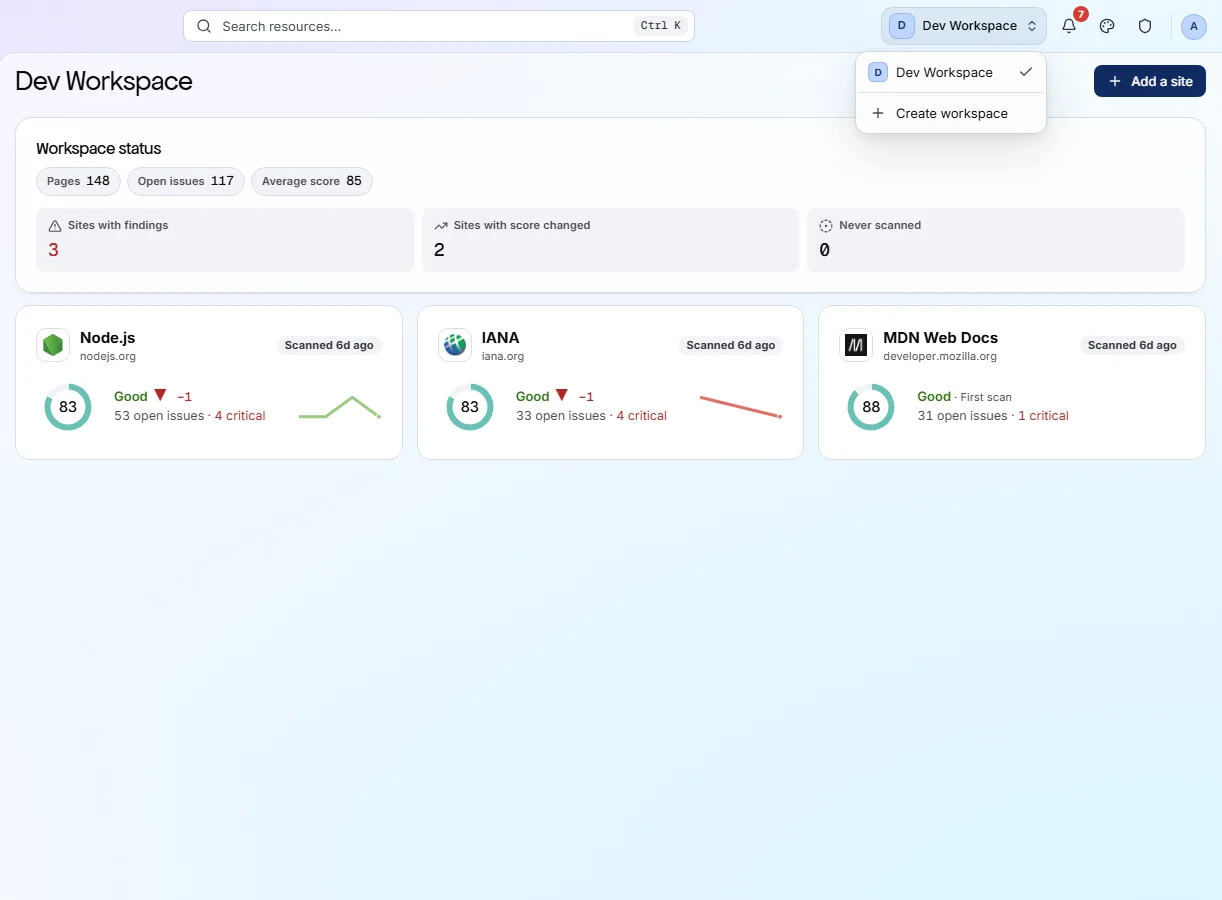
The switcher in the top-right corner of every screen.
- 1
Open the workspace switcher
Top-right of the header, showing the current workspace's initial and name. It is on every screen, so you can open it from anywhere.
- 2
Choose Create workspace
The row below the list of workspaces you are already in. PixyScan checks your plan allows another one before opening the dialog.
- 3
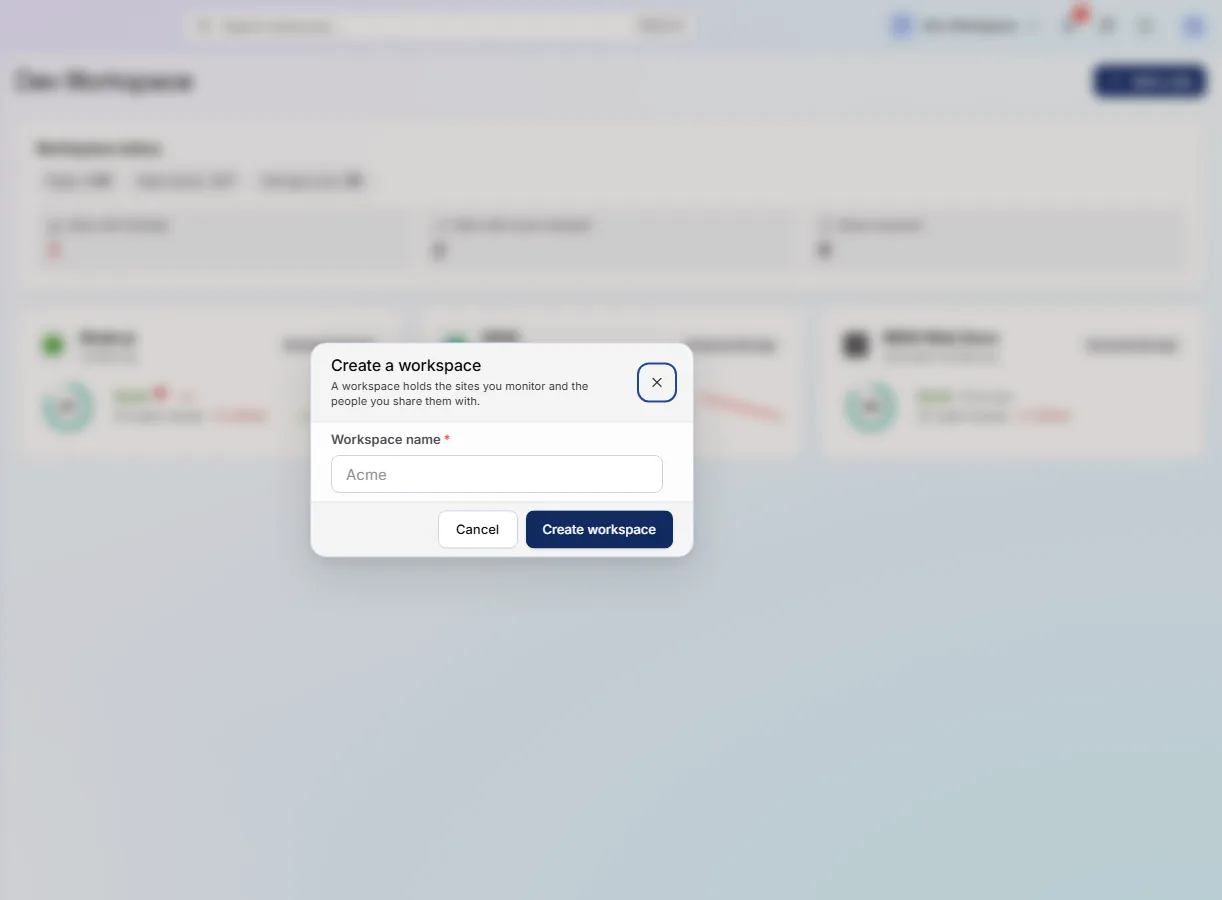
Give it a name and confirm
The name has to be different from your other workspaces. You land in the new workspace with no sites in it.
app.pixyscan.com/w/…
app.pixyscan.com/w/…
What your plan allows#
One free workspace per account. Everything else is a paid limit.
The free plan gives every account exactly one workspace. PixyScan tells you before the name field opens, rather than rejecting a name you have already chosen.
| Field | On Free | What it does |
|---|---|---|
| Workspaces | 1 | Per account, on the free plan. |
| Sites | 1 | Up to 2 on Hobby, 5 on Basic, 25 on Pro. |
| Seats | 1 | The number of people who can be in the workspace. |
| URL credits | 500 / month | One crawled URL spends one credit, whichever site it belongs to. |
| History | 30 days | How far back scan history and comparisons reach. |
If the product does not match this page, the page is wrong and we would like to know. Tell us